
The 30-second summary
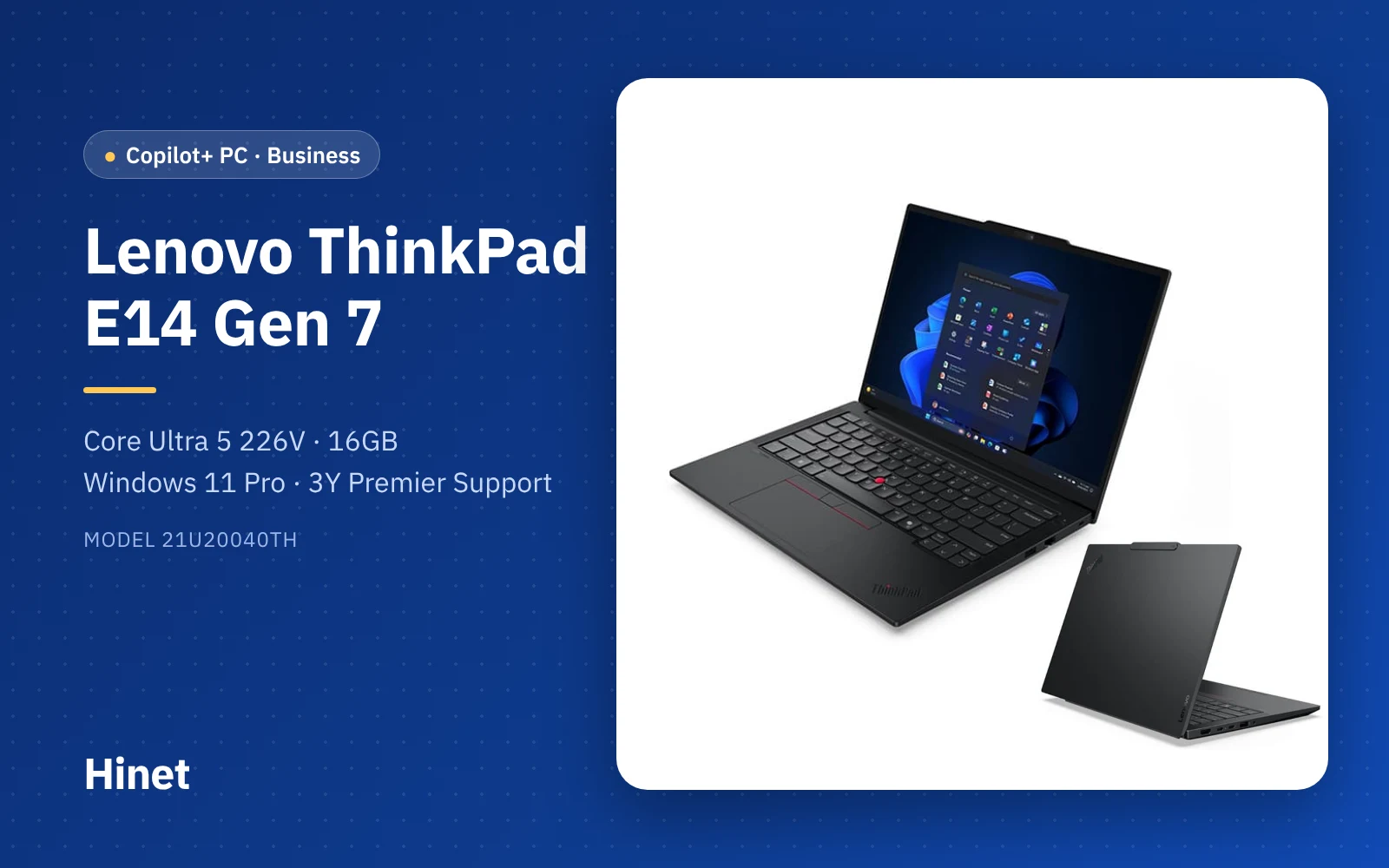
The ThinkPad E14 Gen 7 (21U20040TH) is a business laptop that is ready for the company network out of the box: Core Ultra 5 226V (Copilot+ PC), 16GB LPDDR5X, a 512GB SSD, a 14-inch 16:10 screen, 1.34 kg, Ethernet, Thunderbolt 4, an IR face-login camera, Windows 11 Pro and a 3-year Premier Support warranty. The trade-offs: the RAM is soldered and can never be upgraded, there is only one SSD slot, this model's 45% NTSC screen suits documents rather than colour work, and Windows ships in English (add Thai during setup if needed). Expect roughly THB 38,000–40,000 before VAT.
Contents
- Quick verdict: pros and cons
- The machine and what's in the box
- Lenovo ThinkPad E14 Gen 7 (21U20040TH) specs
- Design and durability: easy to carry every day?
- The 14-inch WUXGA 45% NTSC screen: what is it good for?
- How fast is the Core Ultra 5 226V, and what does Copilot+ add?
- Can you upgrade the RAM and SSD?
- Thunderbolt 4, Ethernet and how many displays?
- How long does the 48Wh battery last?
- Security: face login, dTPM and an encrypting SSD
- English Windows 11 Pro, Office and Premier Support: what IT needs to know
- Price and value
- Who it suits, and who should skip it
- Versus the E14 Gen 7 Intel H/U and the Acer TravelMate P2
- The Hinet perspective
- Verdict: should you buy it?
- Frequently asked questions
If you own a business or run purchasing and need laptops for many staff, what you really want is one standard model that works across the company, joins your systems easily, is secure, and gets fixed quickly when it breaks. Lenovo's ThinkPad E series is aimed squarely at that brief: an affordable ThinkPad that still has the TrackPoint keyboard and ThinkPad durability standards.
This review looks at the ThinkPad E14 Gen 7 (21U20040TH) with Intel's Lunar Lake chip from a company's point of view — performance, upgrades, the ports an office needs, and the Windows, Office and warranty details that are easy to miss when comparing prices.
Quick verdict: pros and cons
Quick Verdict: A business ThinkPad that puts everything a company needs into one machine — Windows 11 Pro, Ethernet, Thunderbolt 4, an IR camera and 3-year Premier Support — with an efficient Lunar Lake chip that qualifies as a Copilot+ PC. A strong standard office laptop, as long as you accept that the 16GB of RAM can't be upgraded and there is only one SSD slot.
Pros
- Core Ultra 5 226V is a Copilot+ PC (40 TOPS NPU), power-efficient, and Notebookcheck found the Lunar Lake E14 runs cool
- Windows 11 Pro from the factory: join a domain / Entra ID and manage it with Intune straight away
- Gigabit Ethernet, HDMI 2.1, two USB-A ports and Thunderbolt 4 for single-cable docking
- Business-grade security: IR face login + webcam shutter, dTPM 2.0 and an Opal 2.0 SSD
- MIL-STD-810H tested, backlit Thai keyboard and the classic ThinkPad TrackPoint
- 3-year Premier Support with direct access to senior technicians
Cons
- 16GB of soldered RAM — no upgrades, ever; choose the memory size on day one
- Only one M.2 SSD slot (the Intel H/U models have two)
- WUXGA 300-nit panel with 45% NTSC colour — dull for graphics work
- Multi-core performance clearly below the Core Ultra 7 255H version of the E14 Gen 7
- Windows 11 Pro ships in English (US/UK); Thai has to be added
- A single USB-C port shared by charging and docking; no SD card reader
The machine and what's in the box
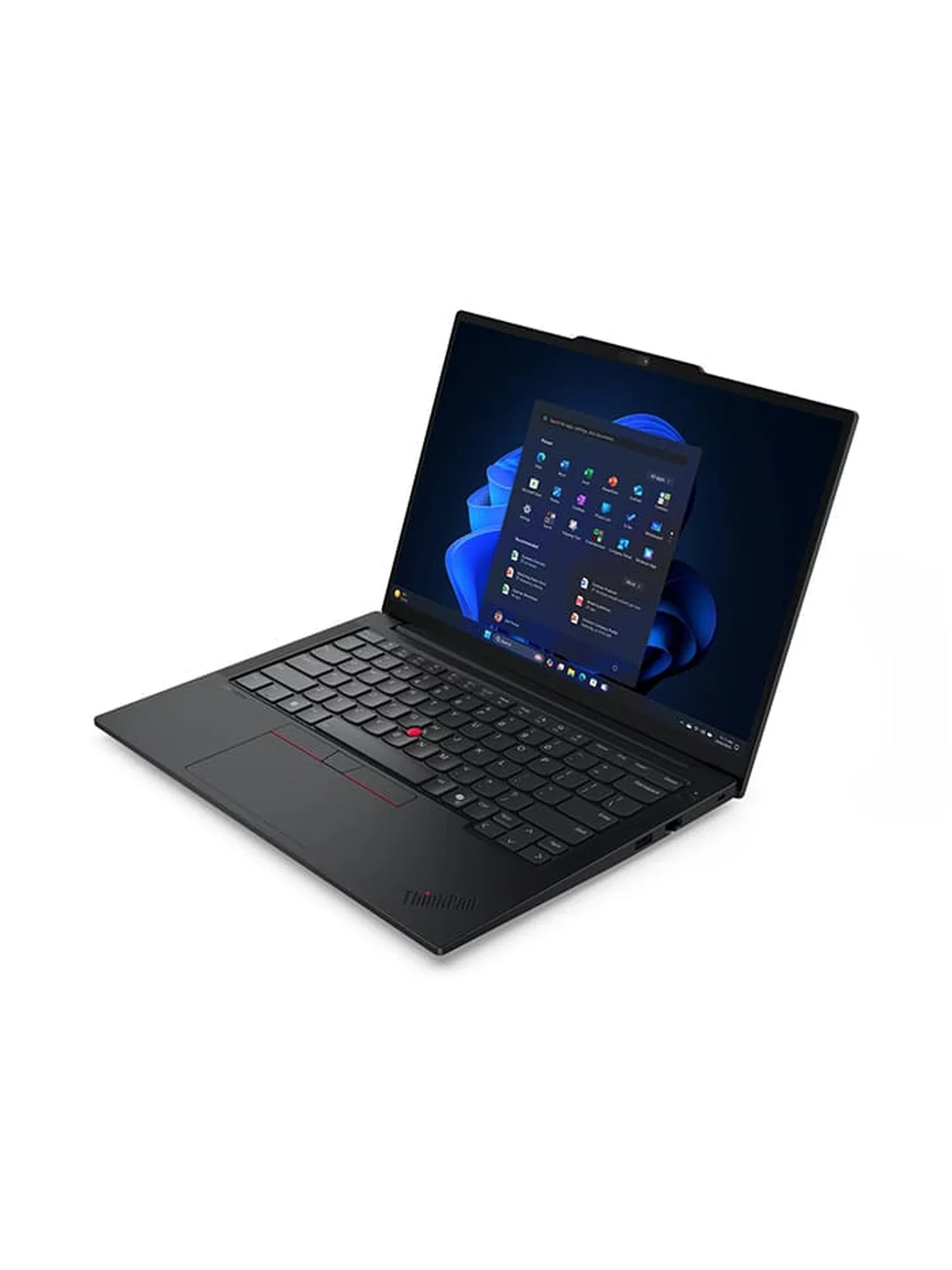
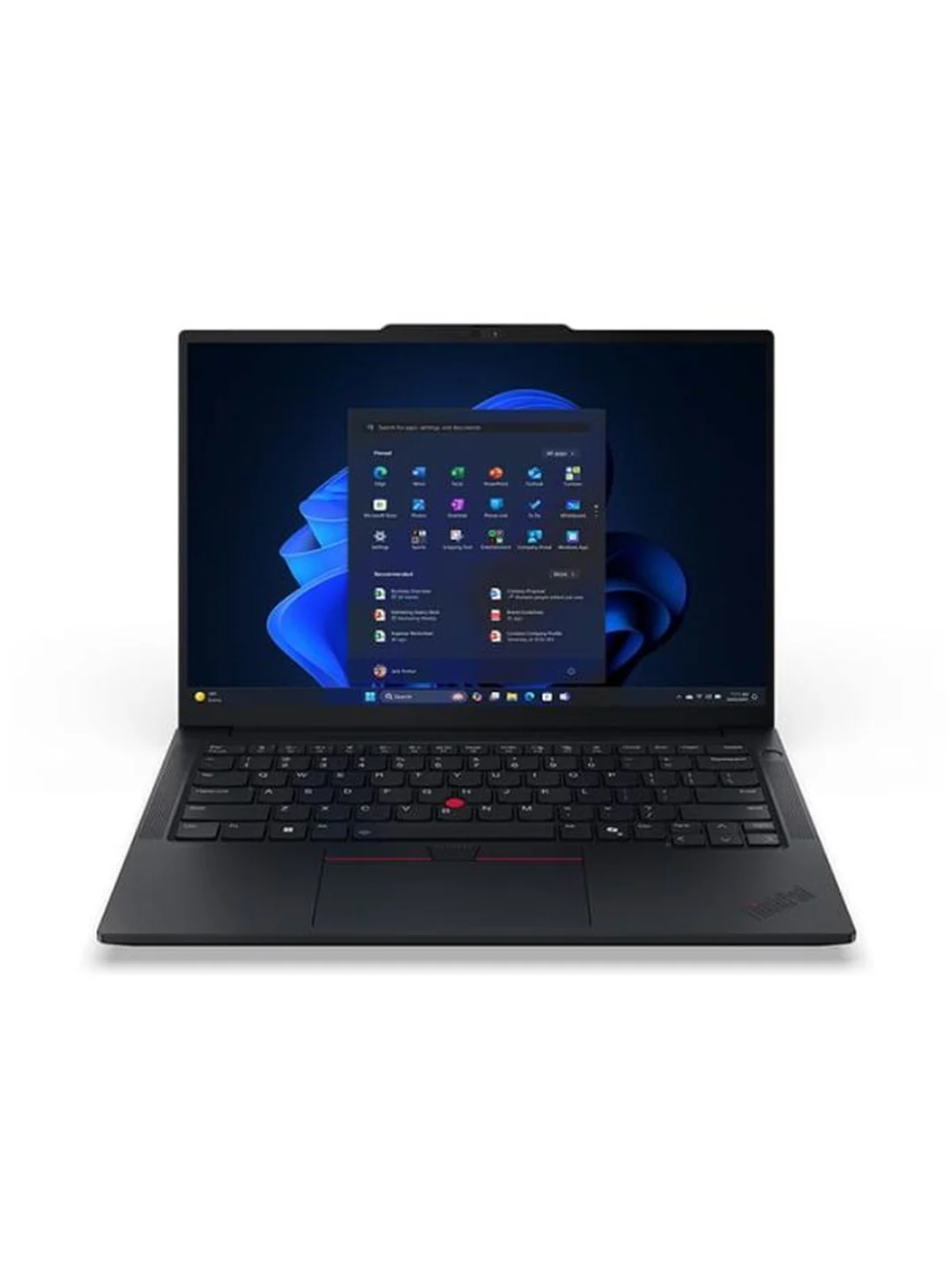
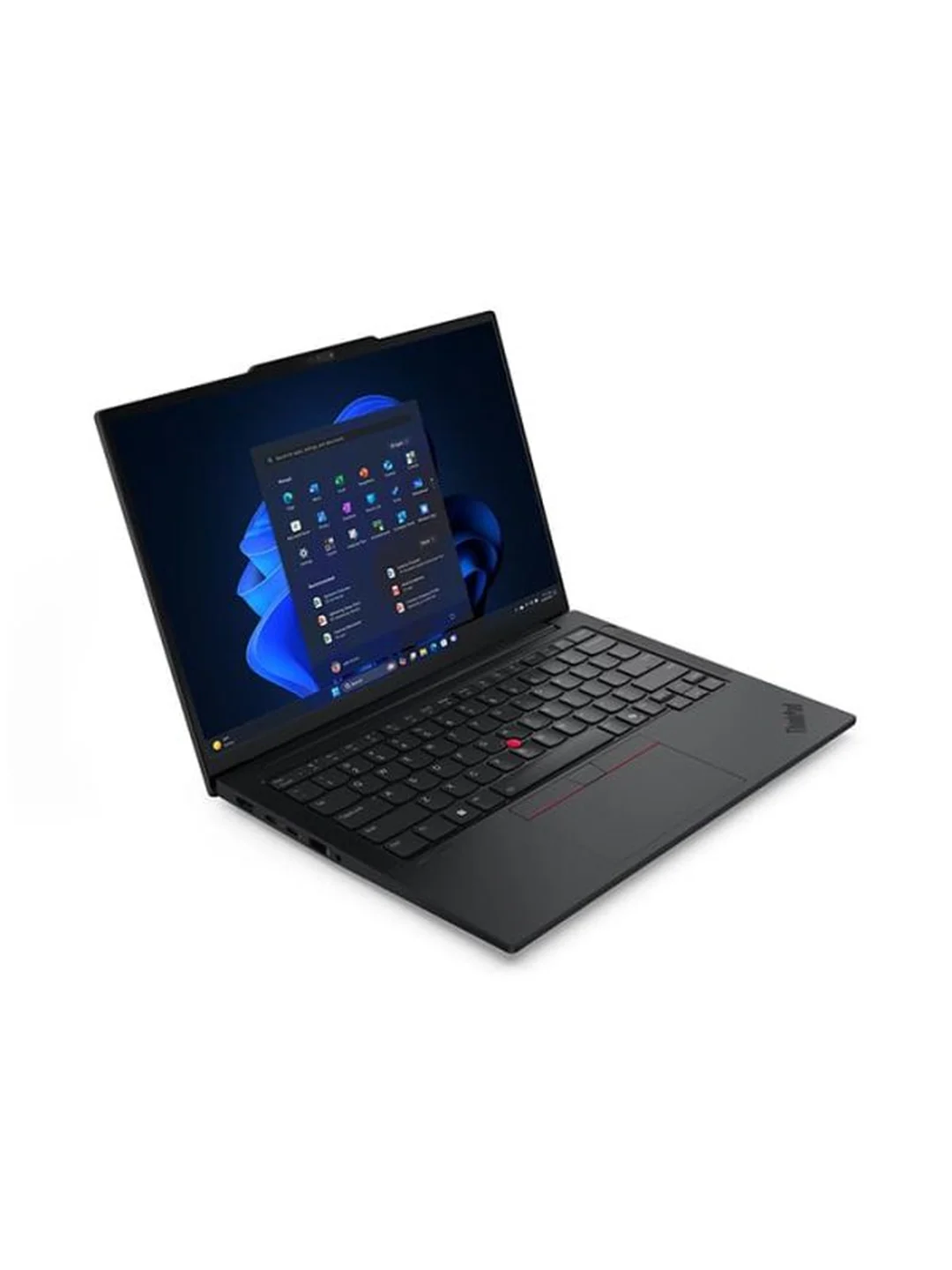
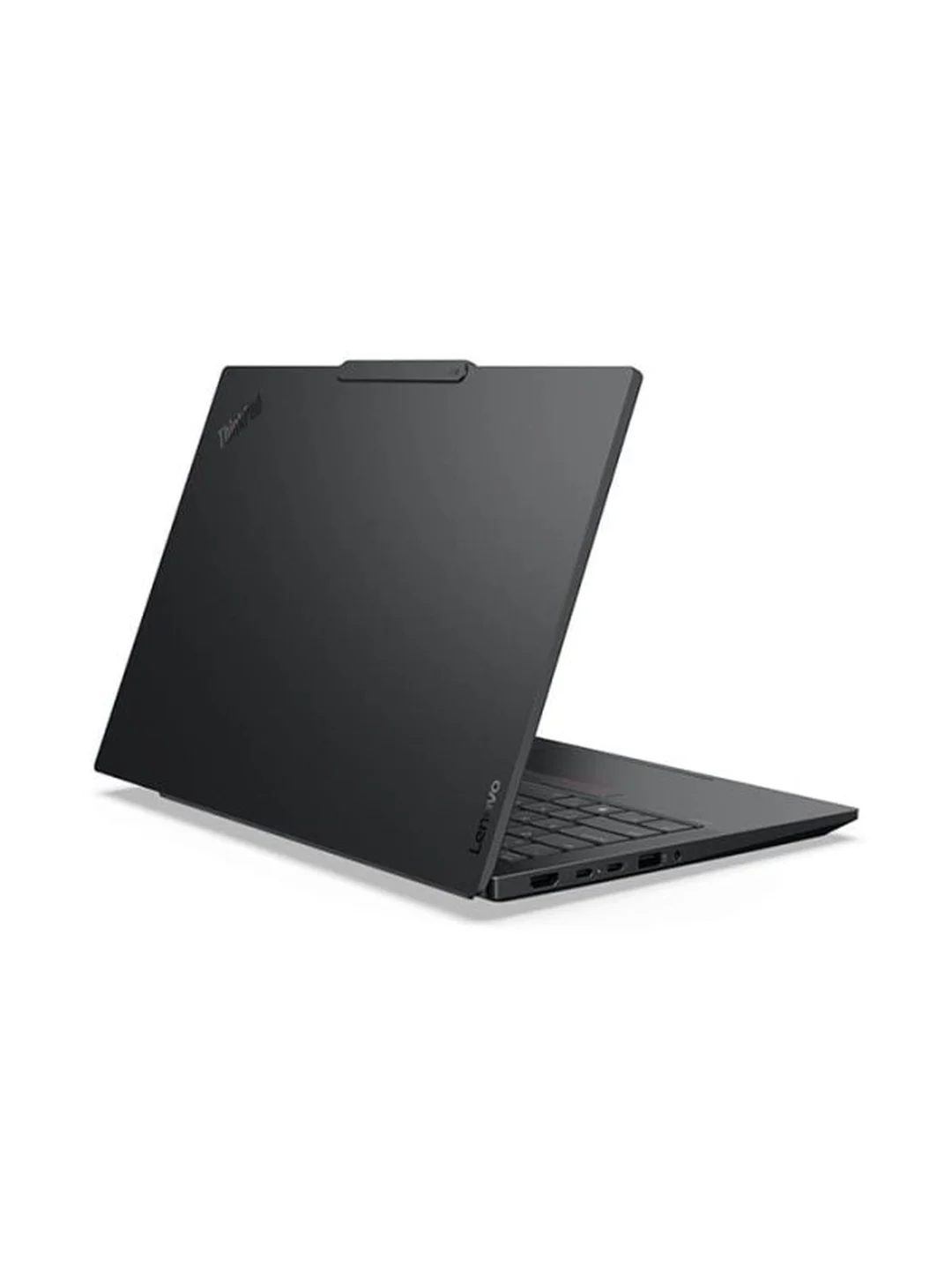
The E14 Gen 7 is black in classic ThinkPad style, with a red TrackPoint in the middle of the keyboard and red stripes on the click buttons. In the box you get the laptop and a 65W USB-C adapter with a 3-pin power cord, plus warranty paperwork. Hinet unboxed and set up this model before delivering it to a client; the images below are Lenovo product shots.
Lenovo ThinkPad E14 Gen 7 (21U20040TH) specs
The specs below are for the 21U20040TH sold by Hinet. The E14 Gen 7 comes in Intel V, H and U series and AMD versions; with a different model code, the processor, RAM, ports or upgrade options may differ.
| Item | Specification |
|---|---|
| Model | Lenovo ThinkPad E14 Gen 7 · 21U20040TH |
| Processor | Intel Core Ultra 5 226V (Lunar Lake) · 8 cores (4P + 4LPE) · 8 threads · up to 4.5 GHz · 8MB Intel Smart Cache |
| NPU (AI) | Intel AI Boost, up to 40 TOPS · Copilot+ PC |
| Memory | 16GB LPDDR5X-8533, memory on package (soldered, not upgradable) |
| Storage | 512GB M.2 PCIe 4.0 x4 NVMe SSD · Opal 2.0 (spec sheet lists a 2242 drive) · one M.2 slot |
| Graphics | Integrated Intel Arc Graphics 130V |
| Display | 14.0-inch WUXGA (1920×1200) 16:10 · IPS · 300 nits · anti-glare · 45% NTSC · 60Hz |
| Wireless | Intel Wi-Fi 6E AX211 (2x2, 802.11ax) + Bluetooth 5.3 |
| Ports | USB-A 5Gbps × 1 · USB-A 10Gbps (Always On) × 1 · USB-C Thunderbolt 4 / USB4 40Gbps (PD 15–65W, DisplayPort 2.1) × 1 · HDMI 2.1 (4K/60Hz) × 1 · RJ-45 Ethernet × 1 · 3.5 mm combo jack × 1 |
| Camera | FHD 1080p + IR (Windows Hello face login) with privacy shutter |
| Keyboard | Backlit · Thai layout · TrackPoint |
| Battery / adapter | 48Wh · 65W USB-C adapter (3-pin plug) |
| Size / weight | 313 × 220.3 × 20.5 mm · from 1.34 kg |
| Durability / security | MIL-STD-810H tested · discrete TPM 2.0 |
| Operating system | Windows 11 Pro (English US / UK) |
| Warranty | 3-year Premier Support (upgraded from 1-year courier / carry-in) |
Design and durability: easy to carry every day?
Yes. It weighs from 1.34 kg and measures 313 × 220.3 × 20.5 mm, so it slips into a work bag every day without fuss.
What sets a ThinkPad apart from similarly priced laptops is the keyboard: deep travel, a backlight and the TrackPoint for people who like to move the pointer without lifting their hands. Notebookcheck rated the E14 Gen 7's keyboard as comfortable and the chassis as sturdy, and Lenovo's PSREF lists the series as MIL-STD-810H tested.
The 14-inch trade-off is no numeric keypad. For accounting staff entering numbers all day, add a USB numeric keypad or a full-size keyboard at the desk via a dock.
The 14-inch WUXGA 45% NTSC screen: what is it good for?
Documents, spreadsheets, email and video calls — not colour-critical work.
The 1920×1200 16:10 IPS panel shows more Excel rows and document lines than a 16:9 screen of the same size, the anti-glare finish cuts reflections from office lighting, and 300 nits is enough indoors.
The catch is 45% NTSC colour coverage: an entry-level panel that looks duller than premium laptop screens, at 60Hz. Notebookcheck's praise for the display refers to a different panel option (2.8K 120Hz), not the screen in the 21U20040TH. If some staff regularly do design work or check product photos, connect a better external monitor via HDMI or Thunderbolt.
How fast is the Core Ultra 5 226V, and what does Copilot+ add?
More than enough for office work and multitasking, efficient, and a Copilot+ PC — but noticeably slower than H-series chips in heavy multi-core work.
The Core Ultra 5 226V (Lunar Lake) has 8 cores (4 P-cores + 4 LP E-cores) and 8 threads, boosts to 4.5 GHz and has Intel Arc 130V graphics. Its strength is efficiency and low heat. Notebookcheck tested the Lunar Lake E14 Gen 7 with the Core Ultra 5 228V (the 226V's sibling with 32GB of RAM) and recorded 10,077 points in Cinebench R23 Multi and 1,761 in Single; another laptop with the same 226V as this machine scored about 9,848 (Multi) and 1,744 (Single).
In practice, Excel, web ERP, many browser tabs, Teams and LINE PC at the same time run smoothly. The trade-off: the E14 Gen 7 with a Core Ultra 7 255H scored 16,477 in Cinebench R23 Multi, roughly 60% higher. Notebookcheck's conclusion is that the choice comes down to whether battery life or raw performance and upgradability matters more.
What does Copilot+ PC add?
Copilot+ PCs need an NPU of at least 40 TOPS, which the 226V meets, so this laptop can use Windows 11's on-device AI features — for example Windows Studio Effects for meeting cameras (background blur, lighting) and search and captioning features that work without sending data to the cloud. Which features are available depends on the Windows version and your company's policies; cloud-based Microsoft 365 Copilot works on any machine.
Can you upgrade the RAM and SSD?
The RAM can't be upgraded. The SSD can be swapped for a bigger one, but there is only one slot.
This is the most important trade-off. The 16GB of LPDDR5X-8533 sits on the processor package, with no RAM slots at all. Notebookcheck points out that compared with the Arrow Lake model and its two RAM slots, the Lunar Lake version is clearly worse for maintenance and upgrades and drops the second SSD slot.
According to Lenovo PSREF, the V-series models have a single M.2 PCIe 4.0 x4 slot supporting SSDs up to 1TB, while the distributor's sheet lists a 2242-size drive. Before replacing the SSD, have a technician check the slot size and bracket in the actual machine.
Thunderbolt 4, Ethernet and how many displays?
Everything an office needs: Ethernet, HDMI 2.1, two USB-A ports and Thunderbolt 4, driving up to two external displays.
- Thunderbolt 4 / USB4 40Gbps × 1 — 15–65W charging, DisplayPort 2.1 video and docking over one cable
- HDMI 2.1 for a 4K/60Hz monitor · Gigabit RJ-45 Ethernet for wired desks and meeting rooms
- USB-A 10Gbps (Always On) charges a phone even when the laptop is off, plus one USB-A 5Gbps
- 3.5 mm headset jack · Wi-Fi 6E + Bluetooth 5.3
PSREF lists support for up to three independent displays (built-in + HDMI + Thunderbolt). Note that the 21U20040TH has a single USB-C port for both charging and docking; when charging directly, HDMI is left for a monitor. We recommend a Thunderbolt / USB-C dock that supplies 65W or more at the desk. There is no SD card reader.
How long does the 48Wh battery last?
Long enough for a half to full day of light work away from the desk, with fast charging — but this model has the smaller 48Wh battery.
The Lunar Lake chip is the main reason many companies choose this version. Notebookcheck concluded that the Lunar Lake model offers clearly longer battery life than the Arrow Lake model. Read the fine print, though: the up to 14.75 hours (MobileMark 30) figure in PSREF was measured with the 64Wh battery, while the 21U20040TH has a 48Wh battery, so expect proportionally less.
The upside of the 48Wh battery is Rapid Charge Pro: 50% in 30 minutes with the 65W adapter (when the laptop is off or asleep) — handy for topping up over lunch before the next meeting.
Security: face login, dTPM and an encrypting SSD
Business-grade throughout: IR face login, a webcam shutter, discrete TPM 2.0 and an Opal 2.0 SSD.
- FHD + IR camera for Windows Hello face login — no typing passwords in front of others — plus a privacy shutter for sensitive meetings
- Discrete TPM 2.0: a separate chip that stores encryption keys and works with BitLocker and Windows Hello
- Opal 2.0 SSD supports hardware encryption, so data on a lost or stolen laptop stays unreadable when encryption is enabled
For companies holding customer and employee data under Thailand's PDPA, these features reduce risk considerably — but they need to be switched on, and the BitLocker recovery key must be stored centrally from day one, or the data can't be recovered the day the machine asks for it.
English Windows 11 Pro, Office and Premier Support: what IT needs to know
Windows 11 Pro and Premier-level support are included in the price, but you'll need to add Thai and buy a correctly licensed Office.
- Windows 11 Pro (English US / UK) — join Active Directory or Microsoft Entra ID, manage with Intune / Group Policy and control BitLocker centrally. Windows ships in English, but Thai can be added for both display language and keyboard; the keyboard already has Thai legends.
- Office — the distributor's spec sheet doesn't list Office. For business use, choose Microsoft 365 Business or Office Home & Business 2024, which are licensed for commercial use.
- 3-year Premier Support — upgraded from a 1-year courier / carry-in base warranty. Lenovo describes Premier Support as 24×7 access to senior technicians, a single point of contact for each case, and next-business-day onsite labour with parts prioritisation (Lenovo notes next-business-day onsite isn't guaranteed in every country and depends on parts stock).
Price and value
On sticker price alone, THB 38,000–40,000 before VAT can look high for a Core Ultra 5 laptop. But once you add what a company would pay on top of a consumer machine — a Windows 11 Home to Pro upgrade, an extended 3-year warranty with onsite service, and the risk of having no Ethernet port — it is reasonable for a standard staff laptop expected to last 3–4 years.
The thing to weigh is 16GB of RAM that can't be upgraded. If your staff's workload is getting heavier, paying the difference for a 32GB model now is cheaper than replacing laptops early.
Get the latest price from Hinet
Who it suits, and who should skip it
Who it's for
- Companies standardising on one staff laptop, managed through Intune or a domain, with Premier-level support
- Accounting, admin and HR teams working in Excel, web ERP, payroll and video calls — ideally docked to a larger monitor
- Staff who attend off-site meetings and want better battery life than H-series laptops at around 1.3 kg
- Businesses handling personal data (PDPA) that want dTPM, an encrypting SSD and Windows Hello built in
Who should skip it
- Graphic design, video editing or any colour-critical work (45% NTSC panel)
- Heavy users who keep huge Excel files and demanding apps open all day and may want more RAM later (choose a 32GB model or the Intel H/U version)
- Sustained multi-core workloads such as large code builds or rendering
- Anyone who regularly needs an SD card slot
Versus the E14 Gen 7 Intel H/U and the Acer TravelMate P2
Clients often ask whether to pick the Lunar Lake E14 Gen 7 (this model) or the faster, upgradable Intel H/U version — and how it compares with another business laptop such as the Acer TravelMate P2 14 we reviewed earlier.
| ThinkPad E14 Gen 7 (21U20040TH) — this model | ThinkPad E14 Gen 7 Intel H/U | Acer TravelMate P2 14 (TMP214-76-G2) | |
|---|---|---|---|
| Processor | Core Ultra 5 226V (8C/8T) | Core Ultra 5 / 7 H or U series (by configuration) | Core Ultra 5 125H (14C/18T) |
| Cinebench R23 Multi | ~9,800–10,100 (226V / 228V, Notebookcheck) | 16,477 (Core Ultra 7 255H, Notebookcheck) | ~12,000 (125H average, Notebookcheck) |
| NPU / Copilot+ | 40 TOPS · Copilot+ PC | AI PC · not Copilot+ | 11 TOPS · not Copilot+ |
| RAM | 16GB soldered · not upgradable | 2 × SO-DIMM · up to 64GB | 16GB DDR5 · up to 32GB |
| SSD slots | One M.2 | Two M.2 (2242 + 2280) | 512GB |
| USB-C | Thunderbolt 4 × 1 | Thunderbolt 4 + USB-C 20Gbps | USB4 |
| Ethernet | Yes | Yes | Yes |
| Battery | 48Wh | 48Wh or 64Wh | 53Wh |
| Weight | 1.34 kg | From 1.34 kg | 1.38 kg |
| Windows | 11 Pro | By configuration | 11 Pro |
| Warranty | 3-year Premier Support | By configuration | 3-year onsite |
Intel H/U details from Lenovo PSREF · Cinebench scores from Notebookcheck (measured on other units; a guide to the trend, not results for this machine) · Acer details from Hinet's Acer TravelMate P2 14 review (Oct 2026)
The Hinet perspective
From a real deployment: delivered as a staff laptop to a corporate client
Hinet unboxed, set up and delivered the unit in this review to a corporate client. For us the ThinkPad E14 is a "buy several, support them easily" machine: Windows 11 Pro, Ethernet and Premier-level support are already included, so its total cost of ownership over the life of the machine is lower than a consumer laptop with a similar sticker price.
The question we always raise before an order is whether 16GB will be enough for 3–4 years. For documents, email, web ERP and video calls, 16GB is fine. For people who keep several large Excel files and dozens of browser tabs open all day, we recommend a 32GB configuration from the start, because this machine gives you no second chance.
What we do before handing the laptop over: add Thai to Windows (it ships in English), join the machine to Microsoft Entra ID or the domain, enrol Windows Hello face login, store the BitLocker recovery key centrally, install a correctly licensed Microsoft 365 Business, and update the BIOS and drivers before the user receives it.
Verdict: should you buy it?
If you're looking for a company-wide standard staff laptop, or a machine for accounting, admin and HR teams that is light, lasts well on battery, has Ethernet, is secure and comes with Premier-level support, the ThinkPad E14 Gen 7 (21U20040TH) fits the brief — and it is ready for Copilot+ PC AI features.
If your staff are heavy users with large files and many apps open all day, or you want the option to add RAM later, look at a 32GB model or the Intel H/U version instead. Whichever you choose, plan Office licensing, Thai language setup and BitLocker key storage from day one.
Interested in this model, or want help matching specs to each role in your company? Request a quote from Hinet or message our LINE @hinetcomputer.
Frequently asked questions
Is the ThinkPad E14 Gen 7 21U20040TH a Copilot+ PC?
Yes. The Core Ultra 5 226V has an NPU of up to 40 TOPS, and the machine has 16GB of RAM and a 512GB SSD, which meet the Copilot+ PC minimums. Lenovo's PSREF lists the V-series models as Copilot+ PCs, so they can use Windows 11's on-device AI features.
Can I upgrade the RAM to 32GB later?
No. Lunar Lake processors use memory on package, so there are no RAM slots. If you need 32GB, buy a 32GB configuration from the start, or choose the Intel H/U version of the E14 Gen 7, which has two SO-DIMM slots.
Can I replace or add an SSD?
You can replace the SSD with a larger one, but you can't add a second drive because the Lunar Lake models have only one M.2 slot. PSREF lists support for up to 1TB. The spec sheet lists a 2242-size drive, so have a technician check the slot size and bracket in the actual machine before ordering a new SSD.
Windows ships in English. Can it be used in Thai?
Yes. Windows 11 Pro can add Thai under Settings → Time & language → Language & region, for both the display language and the keyboard. The keyboard itself already has Thai legends. Hinet sets up Thai before delivery if you buy from us.
How many displays can it drive, and does it work with a dock?
Two external displays (three including the built-in screen) via HDMI 2.1 and Thunderbolt 4. One Thunderbolt or USB-C dock can charge the laptop and connect monitors, Ethernet, keyboard and mouse at the desk; choose a dock that supplies at least 65W.
How is 3-year Premier Support different from a standard warranty?
Premier Support gives 24×7 access to senior technicians, a single case owner from start to finish, and priority for parts and next-business-day onsite service (subject to location and parts availability). This model's base warranty is courier / carry-in, which means sending the machine to a service centre.
Does it come with Microsoft Office?
The distributor's spec sheet doesn't list Office. For business use, choose Microsoft 365 Business or Office Home & Business 2024, which are licensed for commercial use. Hinet can supply and install it with the laptop.
References
- Lenovo PSREF — ThinkPad E14 Gen 7 (Intel) Specifications
- Notebookcheck — Lenovo ThinkPad E14 Gen 7 review: Lunar Lake delivers longer battery life but brings trade-offs
- Lenovo — Premier Support
- Microsoft — Copilot+ PCs