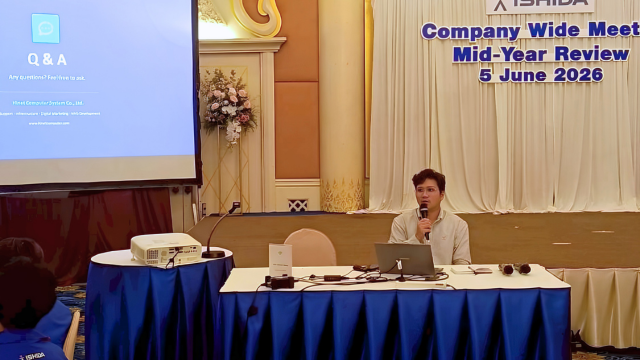
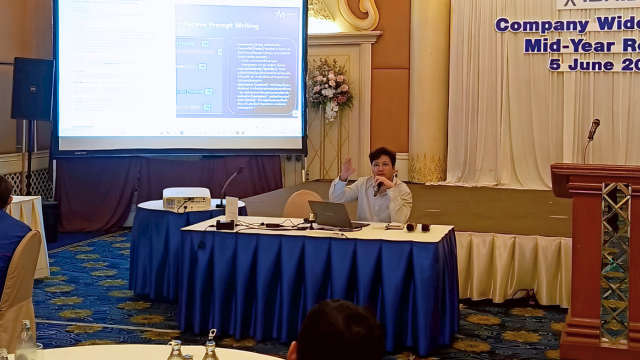
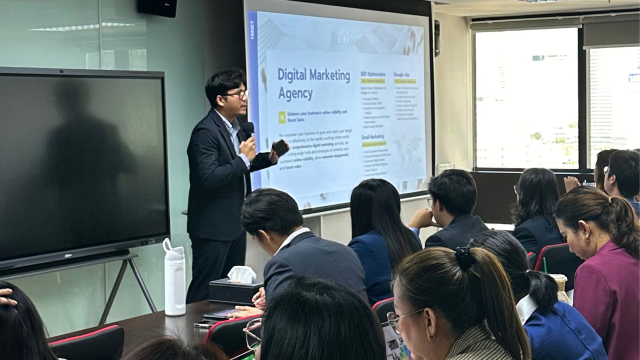
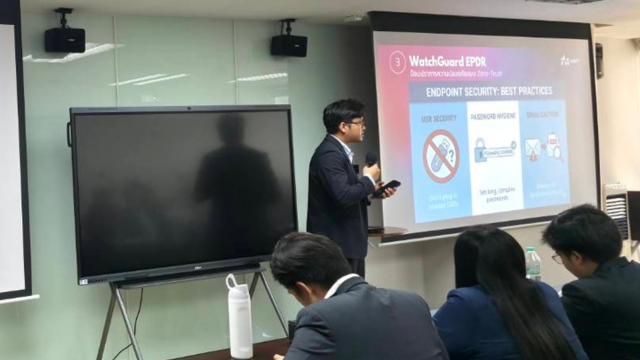
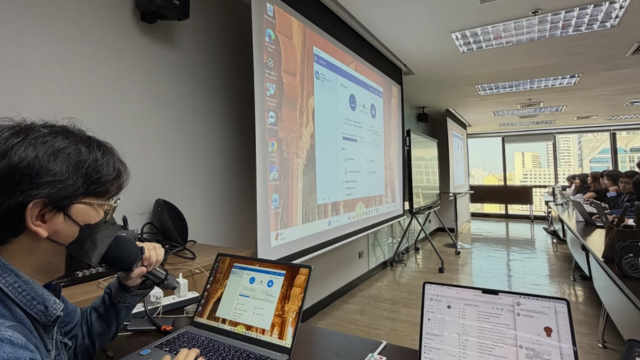
The Hinet team training an organization's staff to use Microsoft 365

Microsoft 365 Business Reseller in Thailand — with Free Email Migration

Including email migration and Microsoft 365 + AI training
with on-site support from an IT team with 20+ years' experience

Microsoft Partner 20 years of IT Outsourcing Trusted by 400+ organizations Fully licensed, invoiced in your company's name On-site across Bangkok & vicinity
Common problems

Business email going down, landing in SPAM, and unlicensed Office fines — all hurting your company's credibility

Email down, undelivered, going to spam

On @gmail or old hosting, mail slips through the cracks and customers never get your quote — lost orders, lost credibility.

Unlicensed Office = a ticking time bomb

Civil and criminal copyright exposure, plus no security updates — an open door for malware.

Too many vendors, no one accountable

One vendor sells the license, another migrates the email — when something breaks, they point fingers at each other.

Paying full price, using under 20%

You bought M365 but only use mail and Word — the Teams, SharePoint and AI you paid for go to waste.

It's fixable — with "one team" that migrates, trains, and supports you on-site.

Hinet M365 Worry-Free

Migrate your business email to Microsoft 365
with training & after-sales support — all from one team

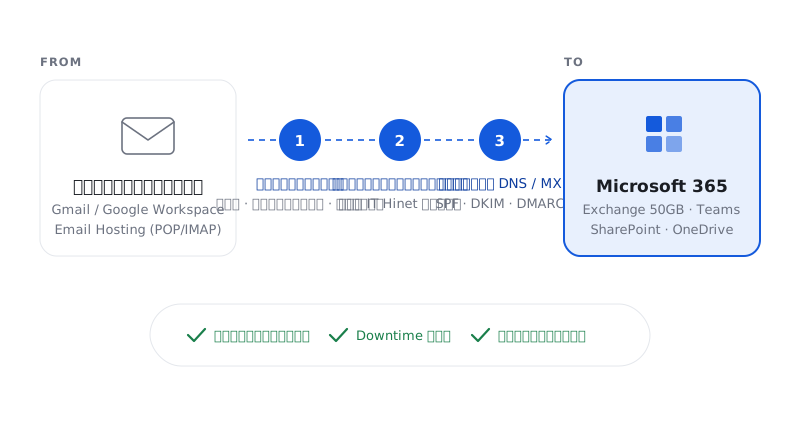
You can migrate your business email to Microsoft 365 without losing data when it's backed up and planned correctly. The Hinet team handles migrations from Google Workspace and legacy mail hosting, transferring email, contacts and calendars and configuring DNS/MX so your business keeps sending and receiving without interruption.

Microsoft 365 + AI is the tool — Hinet is the team that connects that tool to your workflow and makes it work in practice, from migration day through to the day your team works faster and more securely.

Migrating business email from Google Workspace or a legacy system to Microsoft 365
Pillar 1 · Migrate

Email migration & backup service

  • We back up email, contacts and calendars — done by Hinet's own IT team, no subcontractors
  • Migrate Google Workspace to Microsoft 365 and any legacy mail hosting
  • No data loss, low downtime, business keeps running
⭐ Where we differ most
Hinet team training an organization's staff to use Microsoft 365 and Copilot
Pillar 2 · Adopt

Get real value from M365 + AI

  • Onboarding training tailored to your business workflow
  • Teams as your Workplace Hub · Approvals / Planner / Power Automate
  • Hands-on training on Copilot + an AI prompt framework
  • Admin handover — your team learns to run it themselves

"SMEs pay in full but use under 20% — we make sure that money isn't wasted."

Hinet's IT support team providing on-site service at a customer's office
Pillar 3 · Support

Remote & on-site IT support

  • Remote & phone support with no limit on requests
  • On-site visits to your office by package (Bangkok & vicinity)
  • License management + renewal reminders, nothing slips

Typical resellers/hosts only help remotely — we come to your office.

Microsoft 365 Business price

How much does Microsoft 365 Business cost?
Compare every plan for your organization

Compare Microsoft 365 Business Basic, Standard and Premium — price per user per year (ex VAT)
Every plan includes Hinet Worry-Free service, per package terms.

Microsoft 365 Apps for Business

Already have another email system, just want genuine Office on your devices

3,880฿ /user/yr

Price excludes VAT

  • Office installed on PC/Mac (Word, Excel, PPT, Outlook)
  • No business email (Exchange)
  • No Teams / SharePoint
  • No Copilot Chat
  • Free email migration (on orders of 20 licenses or more)
Get a Quote

Microsoft 365 Business Basic

Start with business email + Teams, used via web/mobile

1,590฿ /user/yr

Price excludes VAT

  • Business email (Exchange 50GB)
  • Teams / SharePoint / OneDrive
  • Copilot Chat (web-based AI)
  • Web + mobile Office only (not installed on device)
  • Email migration additional fee applies
Get a Quote

Microsoft 365 Business Premium

Everything in Standard + enterprise-grade security

8,900฿ /user/yr

Price excludes VAT

  • Everything in Business Standard
  • Advanced security — Defender, Intune
  • Device management + data protection (great for PDPA)
  • Copilot Chat (web-based AI)
  • Free email migration by the Hinet team
Get a Quote

Note: prices may change as they are referenced to daily exchange-rate movements. Please contact us for the latest updated pricing.

Get a quote for your number of users
Microsoft 365 Copilot price

Microsoft 365 Copilot vs Copilot Chat — how many types are there, and how do they differ?

Compare Microsoft 365 Copilot features and pricing for organizations · prices ex VAT · updated 2026

Copilot Chat
Included with Business plans
Copilot Business
Add-on · heavy document workers
Copilot Studio
Build AI agents
Price (ex VAT) Free (included) ≈ 8,400 ฿/user/yr ≈ 85,700 ฿ / 25k credits per year
What it is General-purpose AI chat Full Copilot, embedded in apps A platform to build your own AI agents
Where it works Web browser only Inside Word / Excel / PPT / Outlook / Teams The agent/bot you build
AI help inside Word/Excel/PPT
Summarize mail/meetings in Outlook·Teams (web only)
Connects to your org data (Work IQ) (per agent)
Build your own chatbot/agent
Billing model Included in plan Per user/year (fixed, easy to budget) Per credit (pooled across the org)
Who it's for Everyone (basic AI) Heavy document/email workers = best value Orgs that want a bot for customers / HR / IT
Copilot stopped working in your apps since July 1? Nothing is broken — the free trial period (Frontier) expired, so in-app AI features were switched off. The fix is to upgrade to Copilot Business, a fixed per-user price that's easier to budget than usage-based billing — free consultation available.
Why Hinet

What makes Hinet different from other resellers / email hosts? A Microsoft 365 partner in Bangkok with on-site IT support

Typical reseller / host Hinet
Sells licenses
Migrates your emailSome our own team
Training + Copilot/AI
On-site support (remote) Bangkok & vicinity
All from one team 20 years of IT outsourcing
Use Cases

How Microsoft 365 works differently across industries

Hinet helps you choose the right plan and design a workflow that fits how your organization actually works.

Warehouse and shipping containers for a wholesale, import-export business

Wholesale / Import-Export

Email is the main channel — communication with suppliers cannot fail.

Reliable email that lands in the inbox + a credible company domain.

Production line in an industrial factory

Factory / Manufacturing

Multiple sites, heavy file sharing + exposure to unlicensed Office/PDPA risk.

Teams/SharePoint for organized file sharing + licensed security.

Delivery trucks and field team of a logistics business

Transport / Logistics

Field teams spread across branches, needing fast coordination.

Teams on mobile — chat and share documents from anywhere.

A professional consulting office such as a law or accounting firm

Professional / Legal / Accounting

Client confidentiality is paramount + the image must look professional.

Premium security + Copilot to help draft documents.

Trusted by

20+ years supporting Thai SMEs

20 yrs

of IT outsourcing experience

160+

organizations served, across industries

Microsoft Partner (licensed CSP)

Thai organizations and SMEs that trust Hinet

Inside our Microsoft 365 & Copilot training sessions

Microsoft 365 and Copilot training session 1
Microsoft 365 and Copilot training session 2
Microsoft 365 and Copilot training session 3
Microsoft 365 and Copilot training session 4
Microsoft 365 and Copilot training session 5
FAQ

Frequently asked questions

Will I lose data when I migrate business email to Microsoft 365?

No, not when it's done properly. A Microsoft 365 email migration first backs up your existing data (email, contacts, calendars), then transfers it into the new mailbox and configures DNS/MX so mail keeps flowing with virtually no downtime. At Hinet our own IT team performs the migration in-house — no subcontractors — so your data stays complete and secure.

What is Microsoft 365 Copilot and how is it different from Copilot Chat?

Copilot Chat is a web-based AI chat that already comes free with Microsoft 365 Business plans. Full Microsoft 365 Copilot is a paid add-on (~THB 8,400 per user/year) embedded inside the Word, Excel, PowerPoint, Outlook and Teams apps to help you draft, summarize and analyze. The key difference: Chat works only in the browser, while full Copilot works inside the apps you actually use.

Microsoft 365 Business Standard vs Premium — which plan should I choose?

Microsoft 365 Business Standard suits most offices that need business email, Teams and Office installed on PC/Mac. Business Premium includes everything in Standard plus Defender, Intune and device management — ideal for organizations that prioritize security, remote work and PDPA compliance.

My business email keeps going to spam or not being delivered — how do I fix it?

The main cause is incomplete DNS configuration. Fix it by setting up SPF, DKIM and DMARC correctly so mail is verified as coming from your real domain. Use a company-domain email (not @gmail) and move to a system with strong reputation such as Microsoft 365 Exchange. This clearly improves inbox delivery and reduces mail failing to reach customers.

Is using unlicensed Office in a company illegal, and what are the risks?

Yes, it's illegal. Using pirated software in an organization violates copyright law, carries both civil and criminal penalties, and exposes the company to audits and prosecution. Unlicensed Office also receives no security updates, raising the risk of malware and data leaks. The safe fix is licensed Microsoft 365, which can also be invoiced in the company's name for tax.

What do I need to prepare to migrate from Google Workspace to Microsoft 365?

Prepare your user list, admin access to both Google Workspace and Microsoft 365, mailbox sizes, and a convenient cutover window. The Hinet team reviews your current system, backs up your data, migrates email, contacts and calendars, then configures DNS/MX and tests mail flow before handover — minimizing downtime and preventing data loss.

Microsoft 365 vs Google Workspace — which is better for a business?

Microsoft 365 suits organizations that rely on Word, Excel, PowerPoint, Outlook and Teams, and want desktop Office plus enterprise-grade security management. Google Workspace suits teams that work mainly in the browser with Google Docs. Choose based on your existing workflow, file compatibility, and the level of device management you need.

How is Microsoft 365 different from a one-time (perpetual) Office purchase?

A perpetual Office license is a one-time payment for the apps of that version, but includes no business email, Teams, OneDrive, SharePoint, or ongoing feature updates. Microsoft 365 is billed annually and includes cloud services and the latest updates — ideal for organizations that need to collaborate, manage users, and secure data centrally.

Start today

Get a Microsoft 365 Business quote for your organization in Thailand

Free consultation — no cost, no obligation.

Scan the QR code to add LINE OA @hinetcomputer
Prefer to chat on LINE?

Scan the QR code or tap the button to add LINE OA @hinetcomputer and chat with our team right away.

Add us on LINE
Please enter your name
Please enter your company name
Please select the number of users
Please select your current email system
Please enter a valid email address
Please enter a valid phone number
No hidden costs Free consultation No obligation
Microsoft 365 Business from 1,590 ฿/user/yr
Get a Quote