
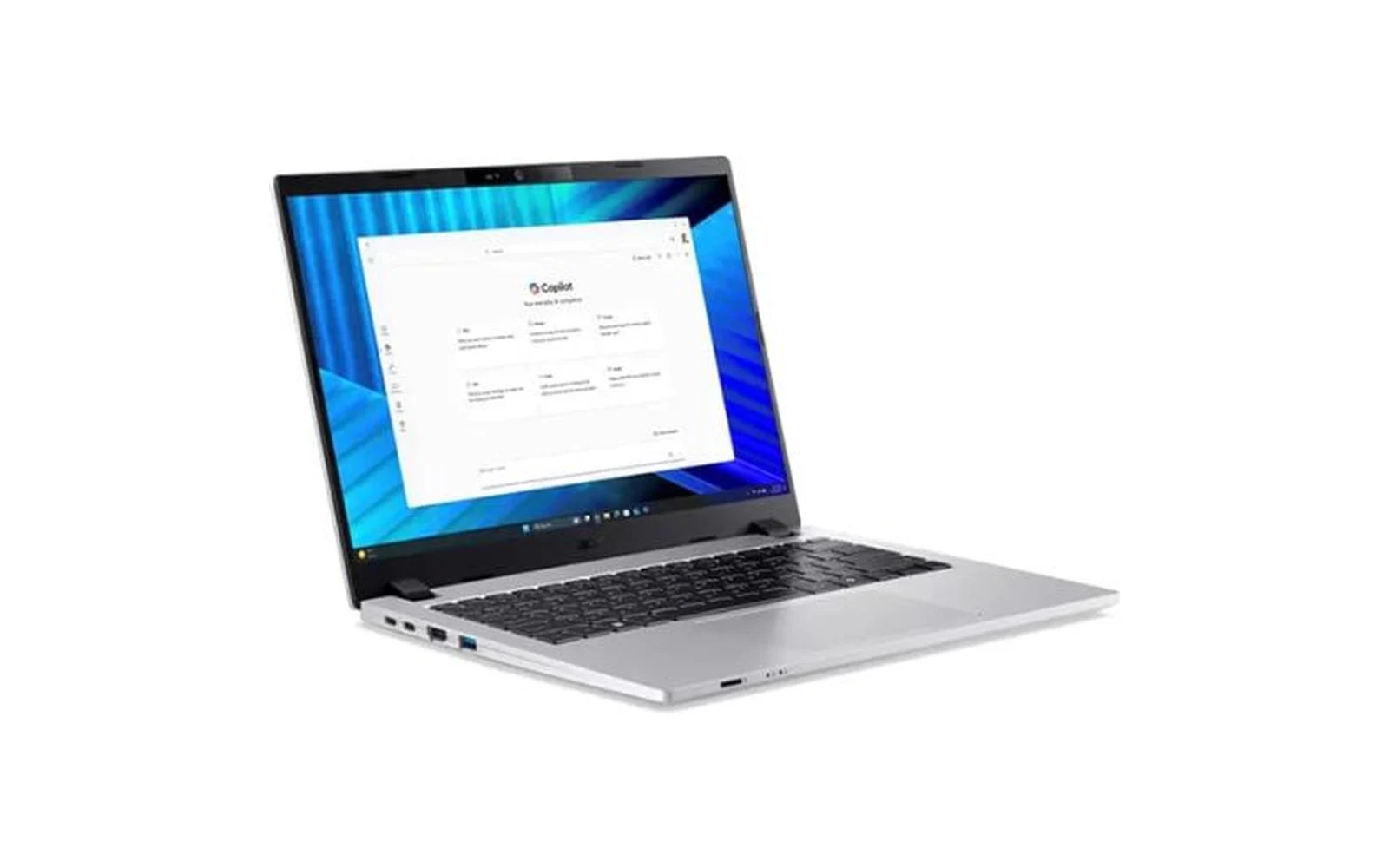
The 30-second summary
The Acer TravelMate P2 14 (TMP214-76-G2-59UG) is a laptop built for real company use: Windows 11 Pro ready for domain join or Intune, a built-in RJ-45 Ethernet port, two USB4 USB-C ports that handle charging and displays through a single dock, 1.38 kg, and a 3-year onsite warranty. The 14-core Core Ultra 5 125H has plenty of headroom for documents, ERP and video calls. The trade-offs: it's not a Copilot+ PC (11 TOPS NPU), storage is 512GB, the 53Wh battery is mid-sized, and the graphics only run as Intel Arc with dual-channel memory. Best for companies that want an easy-to-manage standard laptop rather than the latest AI features.
Contents
- Quick Verdict: pros and cons
- Design and what's in the box
- Acer TravelMate P2 TMP214-76-G2-59UG specs
- At 1.38 kg, is it easy to carry every day?
- Is the 14-inch WUXGA 16:10 screen good for office work?
- How fast is the Core Ultra 5 125H — and is it a Copilot+ PC?
- Can you upgrade the RAM and SSD?
- USB4, Ethernet and camera: enough for the office?
- How long does the 53Wh battery last?
- Windows 11 Pro, Office and warranty: what IT needs to know
- Price and value
- Who it's for — and who should skip it
- Compared with the Lenovo IdeaPad Slim 5 16AKP10
- Hinet's perspective
- Verdict: should you buy it?
- Frequently asked questions
If you're a business owner or buyer choosing laptops for several staff, the real question isn't "which is fastest for the money?" It's which one joins our systems easily, is simple to look after, and gets fixed quickly when it breaks. That's exactly the brief Acer's TravelMate line is designed for.
This review looks at the TravelMate P2 14 TMP214-76-G2-59UG from a company's point of view: specs, upgrades, the ports an office actually needs, and the Windows, Office and warranty details that often get missed when comparing prices.
Quick Verdict: pros and cons
Quick Verdict: A 14-inch laptop that's "company-ready" out of the box — Windows 11 Pro, Ethernet, USB4 and a 3-year onsite warranty — with more than enough CPU for office work. A great standard staff laptop that's easy for IT to manage, but not the pick if you want Copilot+ PC features or lots of local storage.
Pros
- Windows 11 Pro included — domain join, Intune and central BitLocker management from day one
- Built-in RJ-45 Ethernet port, no adapter needed
- Two USB4 USB-C ports with charging (PD) and display (DP) — one dock does it all
- 3-year onsite warranty takes pressure off your IT team
- 1.38 kg with a 14-inch 16:10 screen — easy to carry daily
- 14-core, 18-thread Core Ultra 5 125H handles big spreadsheets and heavy multitasking
Cons
- Not a Copilot+ PC — the Core Ultra 5 125H NPU is rated at 11 TOPS
- 512GB SSD may be tight if staff keep lots of files locally
- Graphics only run as Intel Arc with dual-channel memory
- Mid-sized 53Wh battery — bring the charger for heavy all-day use
- No number pad, and screen brightness isn't stated in the spec sheet
Design and what's in the box
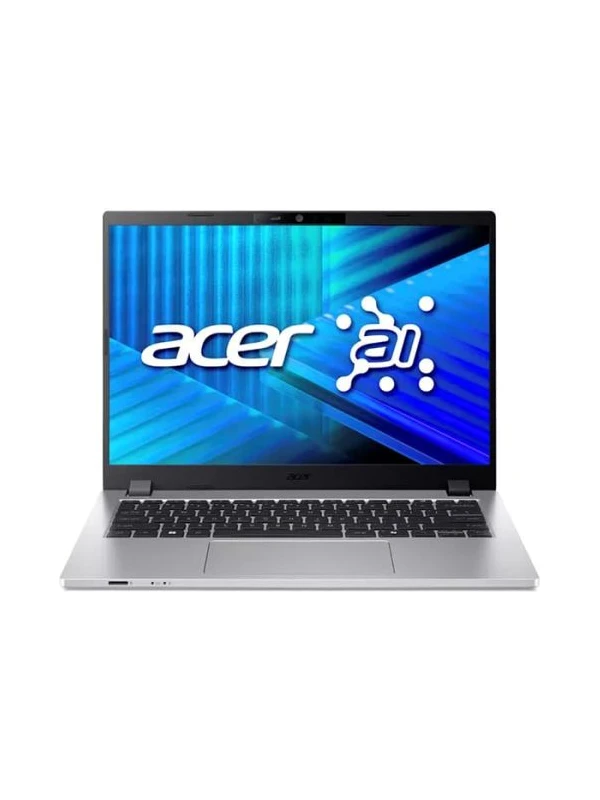
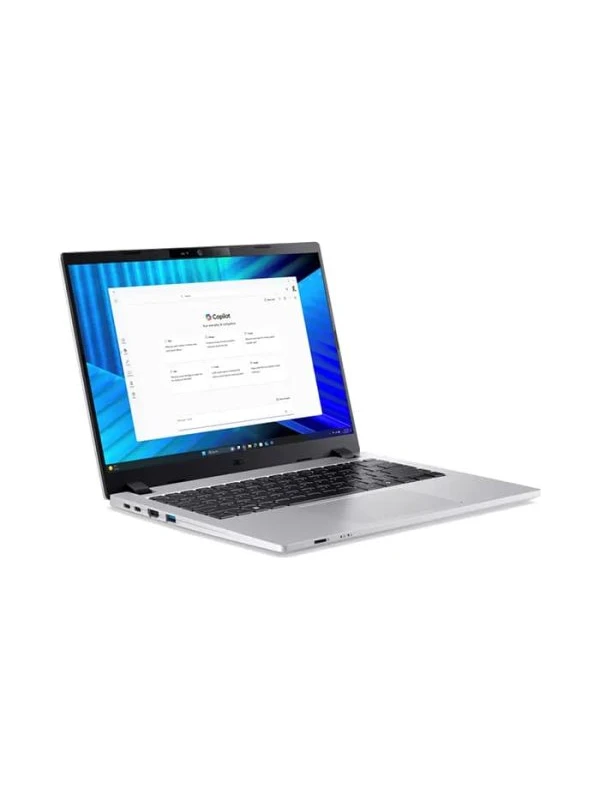
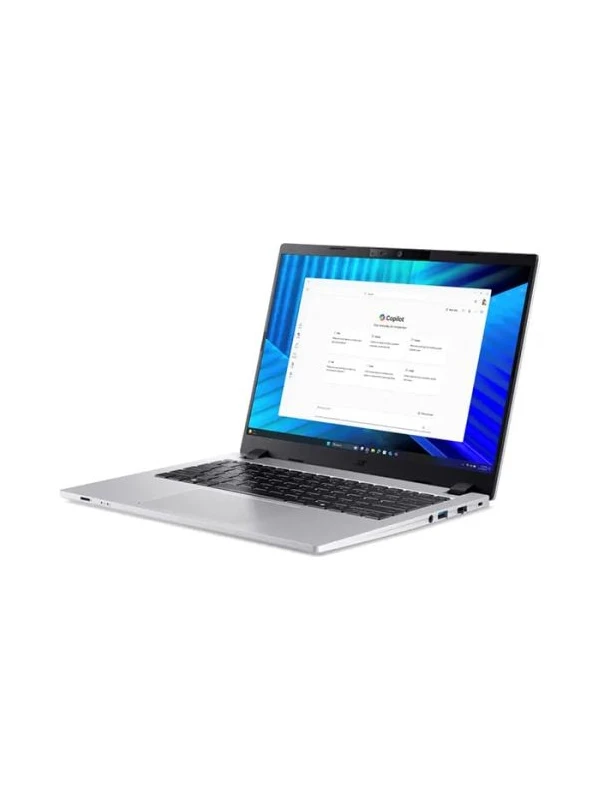
This TravelMate P2 14 comes in silver with a clean, work-focused design — no patterns or decorative lighting. In the box you get the laptop, a 65W USB-C PD adapter with a 3-pin power cord, and the warranty documents.
Acer TravelMate P2 TMP214-76-G2-59UG specs
The specs below are for SKU NX.BLXST.003, the version Hinet sells. The TravelMate P2 14 comes in several configurations, so a different code may mean a different CPU, memory or SSD.
| Item | Specification |
|---|---|
| Model / SKU | Acer TravelMate P2 TMP214-76-G2-59UG · NX.BLXST.003 |
| Processor | Intel Core Ultra 5 125H · 14 cores (4P + 8E + 2 LP-E) · 18 threads · 1.2 GHz (up to 4.5 GHz Turbo) · 18MB cache |
| NPU (AI) | Intel AI Boost · 11 TOPS (below the Copilot+ PC threshold) |
| Memory | 16GB DDR5 · up to 32GB per Acer |
| Storage | 512GB NVMe SSD (PCIe 4.0) |
| Display | 14.0-inch WUXGA (1920×1200) IPS · 16:10 · Acer ComfyView (matte) · non-touch |
| Graphics | Integrated Intel Graphics (runs as Intel Arc with 16GB+ dual-channel memory) |
| Camera | FHD 1080p |
| Wireless | Wi-Fi 6E · Bluetooth 5.3 or above |
| Ports | 2× USB-C (USB4) with PD and DisplayPort · 2× USB-A 3.2 · HDMI · RJ-45 Ethernet · combo audio jack · Kensington lock slot |
| Battery | 53Wh 3-cell Li-ion · 65W USB-C PD adapter |
| Keyboard | Thai/English · no number pad |
| Size / weight | 314.8 × 233.3 × 17.95–19.65 mm · 1.38 kg |
| Operating system | Windows 11 Pro |
| Warranty | 3 years onsite |
At 1.38 kg, is it easy to carry every day?
Yes. At 1.38 kg with a 14-inch screen, it slips into a work bag and is easy to carry daily.
It measures 314.8 × 233.3 mm and 17.95–19.65 mm thick — noticeably smaller than the 15.6-inch laptops many offices still use. The trade-off is no number pad; for accounting staff who key in figures all day, add a USB numeric keypad at the desk.
According to the TMP214-76-G2 series specs on the Acer Store, the laptop has a backlit keyboard, a fingerprint reader in the touchpad and a webcam shutter — useful security features in an office. (configurations can vary by country; Hinet can state the exact spec of the units supplied in your quotation.)
Is the 14-inch WUXGA 16:10 screen good for office work?
Yes. 1920×1200 at 16:10 shows more spreadsheet rows and document text than a 16:9 screen of the same size, and the matte finish cuts reflections.
Acer calls it a ComfyView panel — matte IPS that reduces glare from office ceiling lights. Note that the spec sheet doesn't state brightness (nits) or colour gamut, so it's best suited to documents, spreadsheets and video calls rather than colour-critical work. For graphics work, plug in an external monitor via USB-C or HDMI.
How fast is the Core Ultra 5 125H — and is it a Copilot+ PC?
It's more than fast enough for office work and heavy multitasking, but it isn't a Copilot+ PC — the NPU is rated at 11 TOPS.
The Core Ultra 5 125H (Meteor Lake) has 14 cores and 18 threads: 4 performance cores, 8 efficiency cores and 2 low-power efficiency cores. In Notebookcheck's database the chip averages around 12,000 points in Cinebench R23 multi-core and around 1,646 single-core. These are averages across many laptops; results in this model depend on its cooling and power settings.
In practice that means large Excel files, web-based ERP, dozens of browser tabs, Teams and LINE all at once run comfortably, and multi-core jobs like compressing files or exporting batches of PDFs benefit from the high core count.
A graphics detail to know: Intel Arc needs dual-channel memory
The spec notes that the integrated graphics only run as Intel Arc Graphics with at least 16GB of dual-channel memory. With a single memory module (single-channel), Windows shows "Intel Graphics" and graphics performance is lower. For office work you may not notice, but if you drive two external monitors or work with video often, it's worth checking. The distributor spec doesn't say how the 16GB is installed; if you buy from Hinet, we check and set it up as dual-channel before handover.
What do you miss by not being a Copilot+ PC?
Copilot+ PCs need an NPU of 40 TOPS or more; the 125H's NPU is 11 TOPS. So you don't get on-device AI features such as Recall or Cocreator. The Copilot app and Microsoft 365 Copilot, which run in the cloud, work normally. For most companies today that isn't a real limitation for getting work done.
Can you upgrade the RAM and SSD?
Acer states the memory can go up to 32GB, and the 512GB SSD can be swapped for a larger one.
The Acer Store lists the TMP214-76-G2 series with DDR5 memory expandable to 32GB and an NVMe PCIe 4.0 SSD. Acer doesn't publish the number of memory slots or M.2 slots, so have a technician check the unit before buying extra memory or an SSD.
If staff keep a lot of work files locally, we recommend OneDrive for Business or a company NAS as the main storage rather than relying on a 512GB SSD — you get backup as a bonus.
USB4, Ethernet and camera: enough for the office?
Very much so. The highlights are a built-in Ethernet port and two USB4 USB-C ports that handle both charging and displays.
- Left side: 2× USB-C (USB4) with Power Delivery and DisplayPort, HDMI and USB-A 3.2
- Right side: combo audio jack, USB-A 3.2, a fold-down RJ-45 Ethernet port and a Kensington lock slot to secure the laptop to a desk
For the office, that means plugging straight into wired LAN without an adapter, and with a USB-C dock on the desk a single cable gives you power, a big monitor, keyboard and mouse. Wireless is Wi-Fi 6E with Bluetooth 5.3 or above.
The FHD 1080p webcam is sharp enough for Teams and Zoom. The spec doesn't list an IR camera for Windows Hello face sign-in, so you'll sign in with a PIN or the fingerprint reader instead.
How long does the 53Wh battery last?
53Wh is mid-sized for a 14-inch laptop — enough for half a day to most of a day of meetings away from the desk, depending on the workload.
We haven't found independent battery tests for this model, so we won't guess at hours. The upside is 65W USB-C PD charging: you can share USB-C chargers with other devices or charge through the dock on your desk.
Windows 11 Pro, Office and warranty: what IT needs to know
Windows 11 Pro and a 3-year onsite warranty are included — hidden costs most consumer laptops don't cover — but you'll need to add properly licensed Office.
- Windows 11 Pro — Active Directory domain join, management through Microsoft Intune or Group Policy, and central BitLocker management from day one, with no per-unit upgrade from Home.
- Office — the distributor spec doesn't list Office. For company use, choose Microsoft 365 Business or Office Home & Business 2024, which are licensed for commercial use.
- 3-year onsite warranty — the service centre sends a technician to your office under Acer's terms, so there's no trip to a service centre and less time without a laptop.
Price and value
Business laptop prices change with promotions and order quantity, so we don't list a price here. Hinet can send the latest price with a formal company quotation within 1 business day.
When judging value, compare total cost, not just the sticker price. This laptop already includes Windows 11 Pro, Ethernet and a 3-year onsite warranty; with a similarly priced consumer laptop you'd often pay extra for a Windows Pro upgrade, an Ethernet adapter and an extended warranty.
Get the latest price from Hinet
Who it's for — and who should skip it
Who it's for
- Companies that want a standard staff laptop that joins a domain or Intune straight away, without paying for Windows Pro upgrades
- Offices still using wired LAN for accounting, ERP or other software that needs a stable connection
- Sales staff and managers who carry a laptop daily and plug into a big screen via a USB-C dock at their desk
- Organisations without in-house IT that want an onsite warranty so a technician comes to them
Who should skip it
- Anyone who wants Copilot+ PC on-device AI features such as Recall or Cocreator
- Video editing, 3D design or gaming
- People who keep large files locally (512GB SSD) and don't use OneDrive or a NAS
- Accounting staff who key in numbers all day and need a built-in number pad
Compared with the Lenovo IdeaPad Slim 5 16AKP10
Clients often ask whether to choose a business laptop like the TravelMate or a higher-spec consumer model such as the Lenovo IdeaPad Slim 5 16AKP10 we recently reviewed. This table shows where each one fits.
| Feature | Acer TravelMate P2 14 (this model) | Lenovo IdeaPad Slim 5 16AKP10 |
|---|---|---|
| Segment | Business laptop | Consumer laptop |
| Processor | Core Ultra 5 125H (14C/18T) | Ryzen AI 5 330 (4C/8T) |
| NPU / Copilot+ | 11 TOPS · not Copilot+ | 50 TOPS · Copilot+ PC |
| Screen / weight | 14-inch 16:10 · 1.38 kg | 16-inch 16:10 · ~1.85 kg |
| SSD | 512GB | 1TB + 1 free slot |
| Ethernet port | Yes | No |
| Wi-Fi | Wi-Fi 6E | Wi-Fi 7 |
| Battery | 53Wh | 60Wh |
| Windows | 11 Pro | 11 Home |
| Bundled Office | Not listed in the spec | Office Home 2024 (non-commercial) |
| Warranty | 3 years onsite | 2 years |
Lenovo data from Hinet's IdeaPad Slim 5 16AKP10 review (Oct 2026) · The two answer different needs: Acer focuses on manageability, Lenovo on a bigger screen and AI
Hinet's perspective
What we tell business clients who ask
TravelMate laptops are what we call "the laptops IT teams like": the things you'd normally pay or configure for later — Windows Pro, an Ethernet port and onsite warranty — are already there. That makes the total cost of ownership (TCO) lower than a consumer laptop with a similar sticker price, especially when you buy several at once.
What we always do before handing a laptop over to a company: join it to Microsoft Entra ID or the domain, store the BitLocker recovery key centrally, install correctly licensed Microsoft 365 Business, and check the memory is dual-channel so Intel Arc graphics run at full speed.
Verdict: should you buy it?
If you're looking for a standard staff laptop that joins your systems straight away, has an Ethernet port, is easy to carry and comes with onsite warranty cover, the Acer TravelMate P2 14 (TMP214-76-G2-59UG) fits the brief very well — especially when buying several at once.
If Copilot+ PC AI features, a bigger screen or more storage matter more to you, look at other models too. Whichever you choose, plan your Office licensing and BitLocker key storage from day one.
Interested in this model, or want help comparing options for your budget and team? Request a quote from Hinet or message us on LINE at @hinetcomputer.
Frequently asked questions
Is the Acer TravelMate P2 TMP214-76-G2-59UG good for office work?
Yes. The Core Ultra 5 125H has 14 cores and 18 threads, and with 16GB of DDR5 it comfortably runs Word, large Excel files, web-based ERP and Teams or Zoom at the same time. The 14-inch 16:10 screen shows more vertical content than 16:9, and at 1.38 kg it's easy to carry every day.
Is this laptop a Copilot+ PC?
No. Copilot+ PCs need an NPU of 40 TOPS or more, and the Core Ultra 5 125H's NPU is rated at 11 TOPS. Cloud-based Copilot apps work normally, but you won't get the on-device AI features reserved for Copilot+ PCs.
Can I upgrade the RAM to 32GB?
Acer states the series supports up to 32GB. Have a technician check the number of slots and how the memory is installed before upgrading, and use matched pairs (dual-channel) so Intel Arc graphics run at full performance.
Does it have an Ethernet port, and how many displays can it drive?
Yes, there's a built-in RJ-45 Ethernet port. For displays you have HDMI plus two USB4 USB-C ports with DisplayPort, so you can run more than one external screen — or use a single USB-C dock for power, displays and wired network at your desk.
Why does Windows 11 Pro matter for a business?
Windows 11 Pro supports Active Directory domain join, management through Microsoft Intune or Group Policy, and central BitLocker management — none of which Windows 11 Home can do. Laptops that ship with Home need a paid upgrade on every unit.
Does it come with Microsoft Office?
The distributor spec doesn't list Office. For company use you should use Microsoft 365 Business or Office Home & Business 2024, which are licensed for commercial use. Hinet can supply and install either with the laptop.
What does a 3-year onsite warranty mean?
Onsite means the service centre sends a technician to your premises to repair a covered fault, so you don't have to take the laptop to a service centre. It reduces the time staff are without a computer. Terms and service areas follow Acer's conditions.
References
- Acer Store — TravelMate P2 14 TMP214-76-G2 (Core Ultra 5 125H) series specs
- Acer Store (TW) — TMP214-76-G2-55YM series specs
- Notebookcheck — Intel Core Ultra 5 125H Benchmarks and Specs
- Microsoft — Copilot+ PCs