
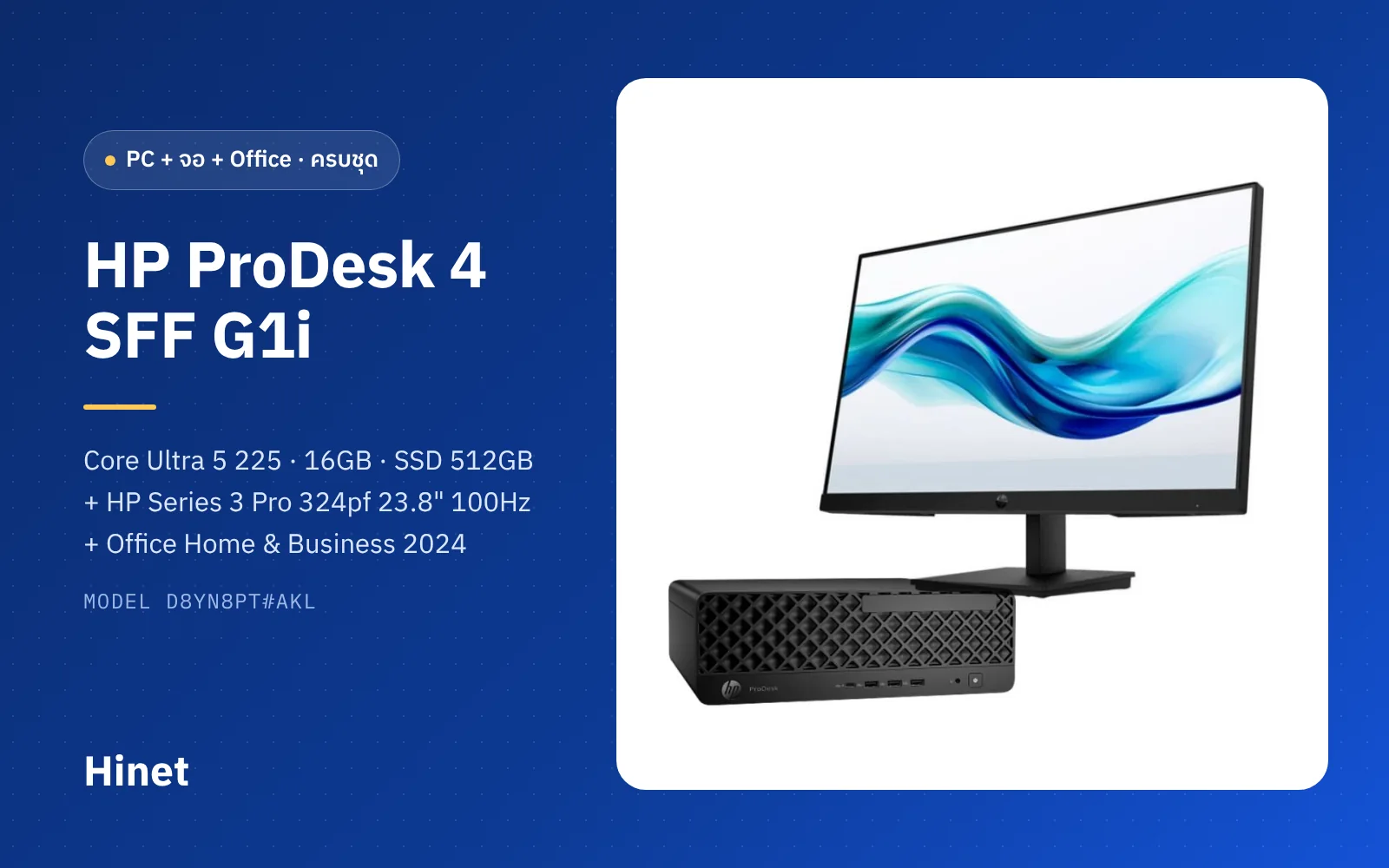
The 30-second summary
The HP ProDesk 4 SFF G1i (D8YN8PT#AKL) is a small-form-factor business PC with plenty of power for documents, accounting, ERP and video meetings (Core Ultra 5 225 with 10 cores, 16GB dual-channel RAM, 512GB NVMe SSD, LAN + Wi-Fi 6E), and it is far more expandable than a mini PC — a spare M.2 slot, PCIe slots for add-in cards and 9 USB ports. Paired with the HP 324pf 23.8" IPS 100Hz monitor and Office Home & Business 2024, which is licensed for commercial use, you get a set that works on day one with no annual subscription. The catches: it ships with Windows 11 Home, which cannot join a domain or Microsoft Entra ID; it is not a Copilot+ PC; and Office 2024 support ends in October 2029.
Contents
- Quick verdict: pros and cons
- What's in the set, and what it looks like
- HP ProDesk 4 SFF G1i (D8YN8PT#AKL) set specs
- How big is the SFF chassis, and where should it go?
- Is the Core Ultra 5 225 fast enough, and is it a Copilot+ PC?
- How far can you upgrade RAM, SSD and add-in cards?
- Are there enough ports, and how many displays can it drive?
- Is the HP Series 3 Pro 324pf good enough for office work?
- Windows 11 Home + Office 2024: what IT needs to know
- Price and value
- Who it suits, and who it doesn't
- Compared with the Dell Pro Micro QCM1250
- The Hinet perspective
- Verdict: should you buy it?
- Frequently asked questions
When a company hires someone new, purchasing's first question is rarely "which PC is fastest?" It's what do we need to buy so this person can work from day one, with properly licensed software? The set in this review answers exactly that: PC, monitor and Office in one bundle.
We look at the HP ProDesk 4 SFF G1i (D8YN8PT#AKL) paired with the HP Series 3 Pro 324pf monitor and Office Home & Business 2024 from a business point of view — specs, upgrades, displays, and the Windows and Office details that often get missed when comparing prices.
Quick verdict: pros and cons
Quick Verdict: An office PC set that comes "complete on one quotation": the PC, the monitor and an Office licence that is valid for commercial use. The PC has headroom for documents, accounting and video meetings, and can be upgraded for years. It suits small and mid-sized companies that don't manage PCs through a domain — if you use Active Directory, Microsoft Entra ID or Intune, budget for a Windows 11 Pro upgrade.
Pros
- Core Ultra 5 225 (10 cores, 4.9 GHz Turbo) easily handles Excel, web ERP, Teams and many browser tabs
- 16GB RAM as two modules (2×8GB), so it runs dual-channel out of the box
- More expandable than a mini PC: a second M.2 SSD slot, PCIe x16 / x1 slots and up to 64GB RAM per HP's specs
- 9 USB ports (front USB-C 10Gbps + three 10Gbps USB-A), plus Gigabit LAN and Wi-Fi 6E / Bluetooth 5.3
- 23.8" IPS 100Hz monitor with HP Eye Ease, plus a VGA input for older devices
- Office Home & Business 2024 is a one-time purchase licensed for business use, includes Outlook, no subscription
- 3-year warranty on both the PC and the monitor
Cons
- Ships with Windows 11 Home: no domain / Entra ID join, no Group Policy, cannot host Remote Desktop
- Not a Copilot+ PC — the Core Ultra 5 225 NPU is rated at 13 TOPS
- Both RAM slots are filled, so going to 32GB means replacing both modules
- The monitor only tilts — no height or swivel adjustment — and has no speakers
- Office 2024 covers one PC, and Microsoft ends support on 9 October 2029
- Integrated graphics with only 2 Xe cores — fine for office work, not for 3D or video editing
What's in the set, and what it looks like
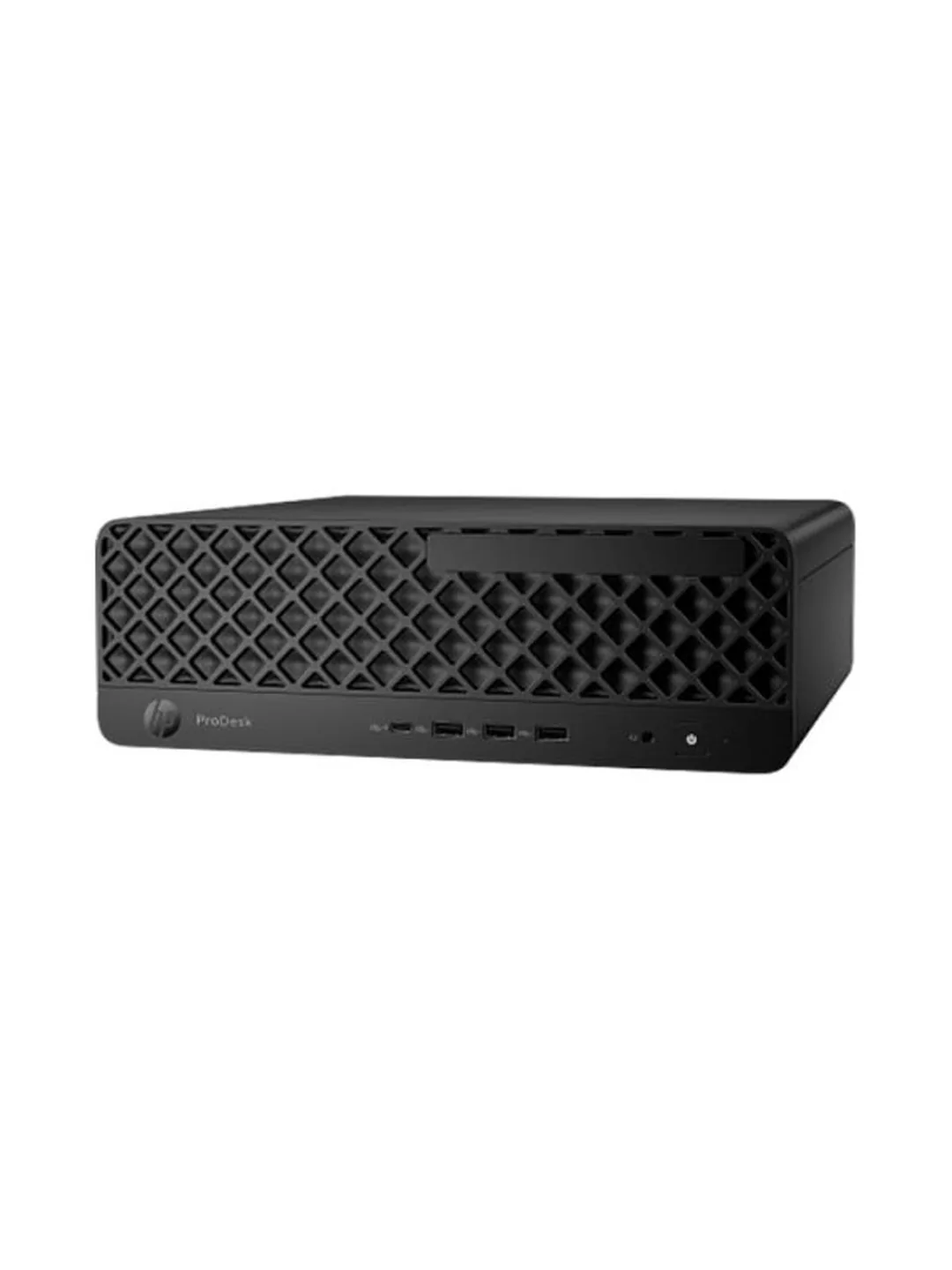
The set has three parts: the HP ProDesk 4 SFF G1i PC, the HP Series 3 Pro 324pf 23.8" monitor, and an Office Home & Business 2024 product key delivered by email (ESD — Electronic Software Delivery), with no disc or retail box.
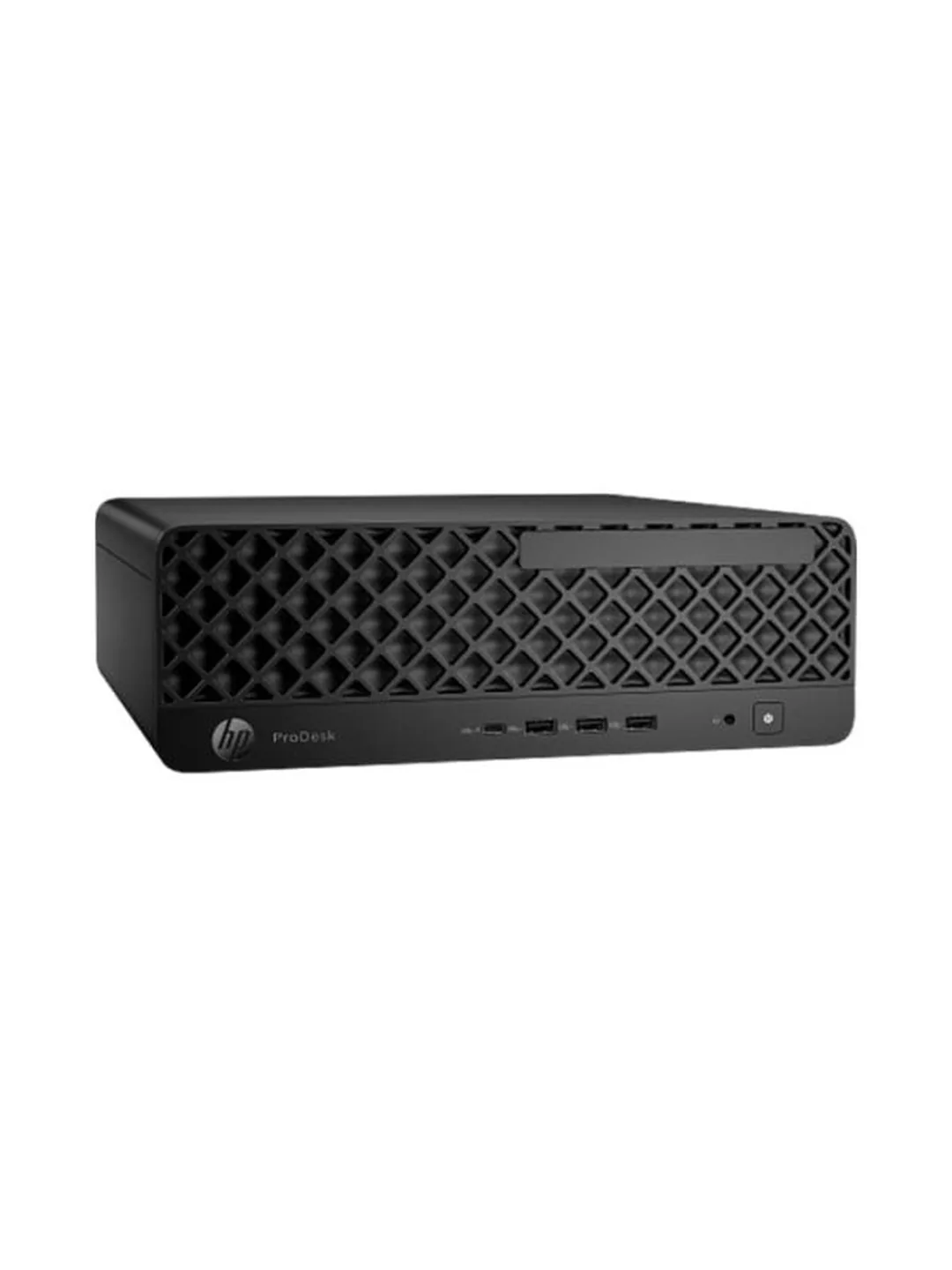
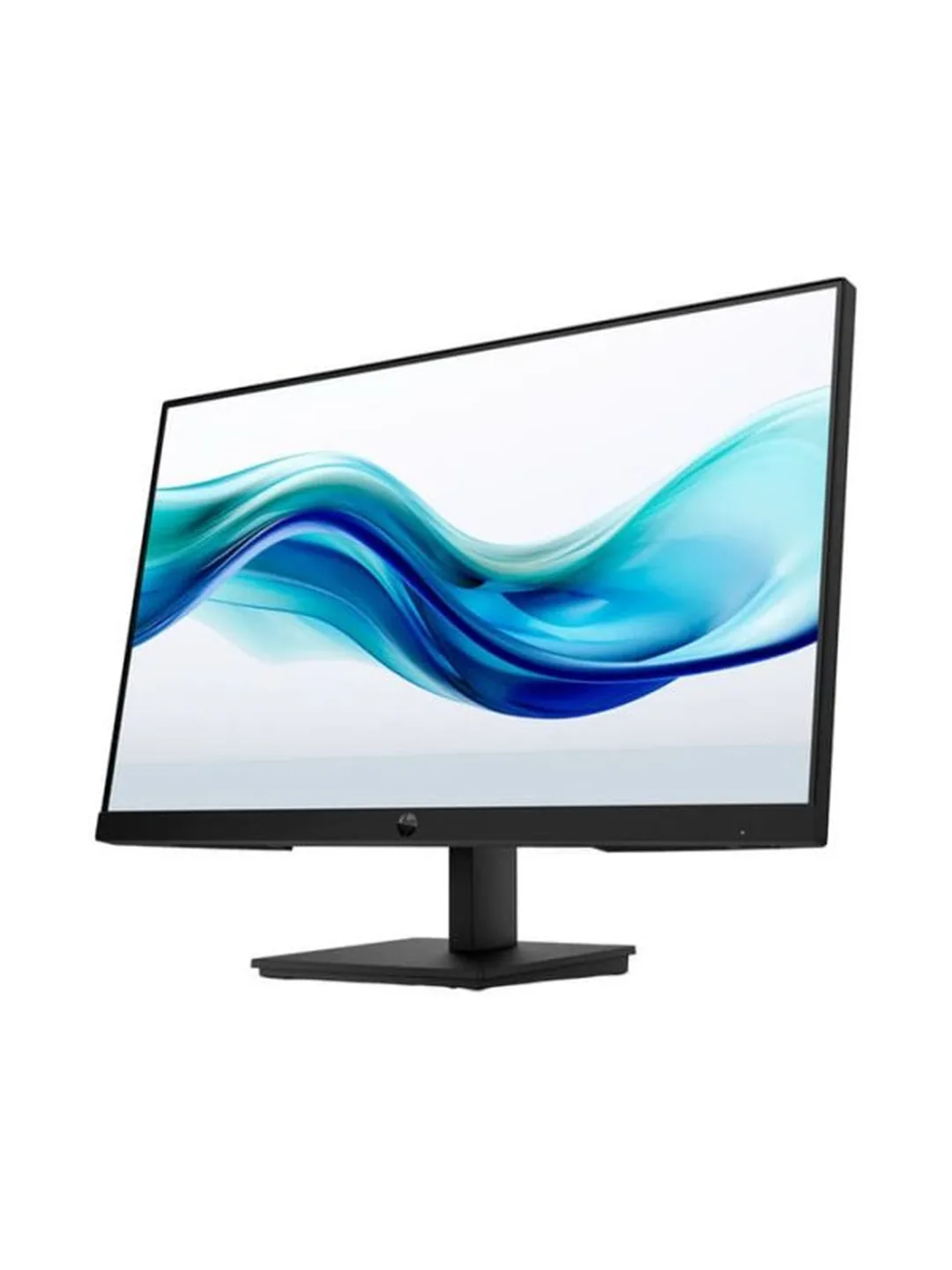
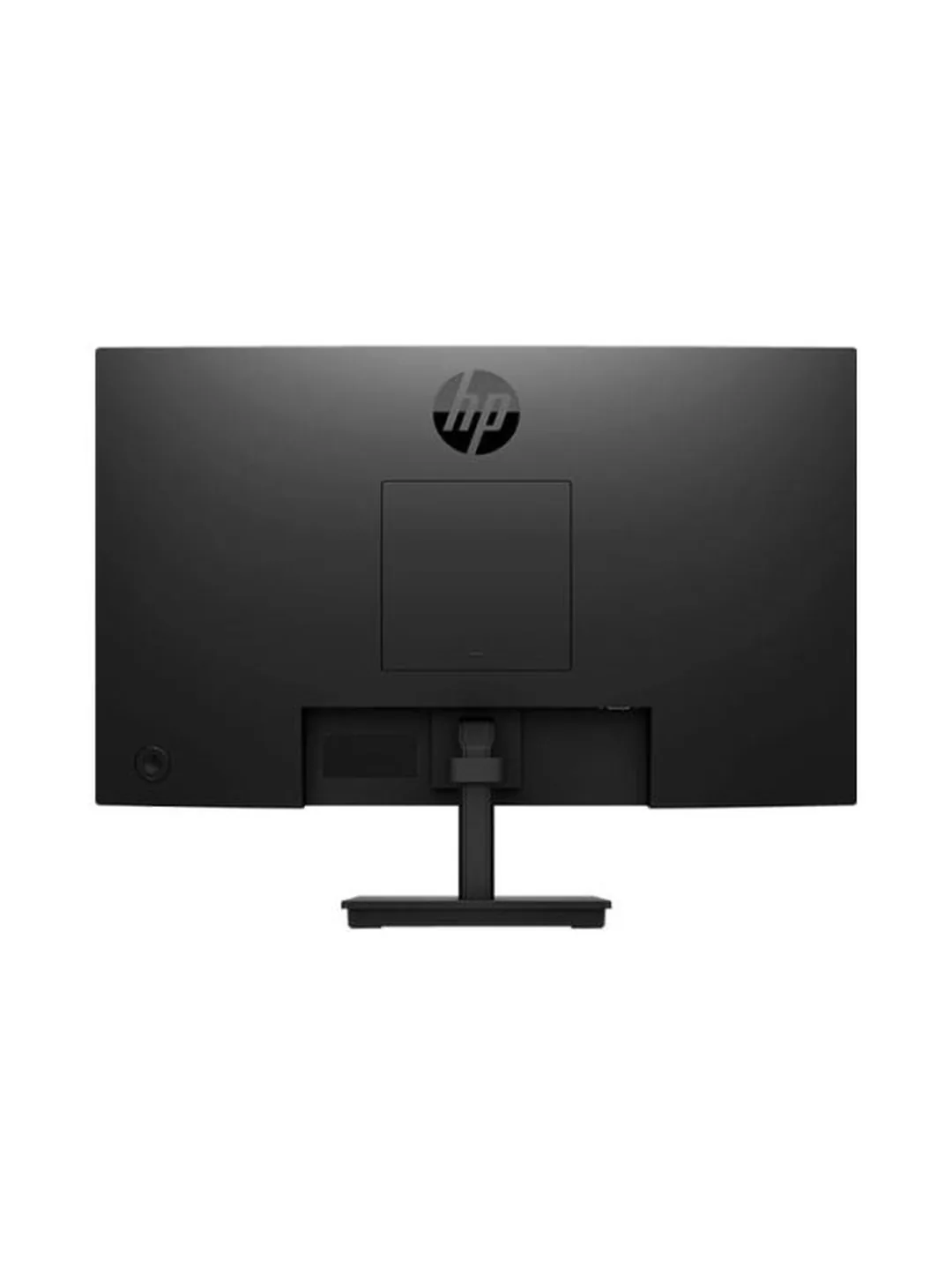
The PC is black with a diamond-mesh front — a plain, office-friendly design. The front has four USB ports, a headset jack and the power button. The monitor has thin bezels on three sides and a black stand, so the two look like a matched set.
HP ProDesk 4 SFF G1i (D8YN8PT#AKL) set specs
The specs below are for the set Hinet sells, PC part number D8YN8PT#AKL. The ProDesk 4 SFF G1i comes in many configurations worldwide; a different part number may have a different CPU, RAM or Windows edition.
| Item | Specification |
|---|---|
| Model / part no. | HP ProDesk 4 SFF G1i Desktop AI PC · D8YN8PT#AKL |
| Processor | Intel Core Ultra 5 225 · 10 cores (6P + 4E) · 10 threads · 3.3 GHz, up to 4.9 GHz Turbo · 20MB Intel Smart Cache · 65W base power |
| NPU (AI) | Intel AI Boost, 13 TOPS (does not meet the Copilot+ PC bar) |
| Memory | 16GB DDR5-5600 UDIMM (2 × 8GB, dual-channel) · 2 DIMM slots, up to 64GB |
| Storage | 512GB PCIe NVMe M.2 SSD (chassis has two M.2 2280 storage slots) |
| Expansion | PCIe 4.0 x16 × 1 · PCIe 4.0 x1 × 1 (low-profile cards) |
| Graphics | Integrated Intel Graphics |
| Networking | 10/100/1000 LAN · Wi-Fi 6E (802.11ax) · Bluetooth 5.3 |
| Front ports | USB-C 10Gbps × 1 · USB-A 10Gbps × 3 · headphone/mic combo × 1 |
| Rear ports | USB-A 5Gbps × 2 · USB-A 2.0 × 3 · HDMI 2.1 × 1 · DisplayPort 2.1 × 1 · RJ-45 LAN × 1 · audio-out × 1 |
| Size / weight | 30.3 × 30.8 × 10 cm · about 4.55 kg (per HP) |
| Operating system | Windows 11 Home |
| PC warranty | 3 years |
| Monitor | HP Series 3 Pro 324pf · 23.8" IPS · 1920 × 1080 · 100Hz · 5ms (GtG) · 250 nits · anti-glare · HP Eye Ease |
| Monitor inputs | DisplayPort 1.2 · HDMI 1.4 · VGA · no speakers · tilt −5° to +23° · VESA 100 × 100 |
| Monitor warranty | 3 years |
| Software | Microsoft Office Home & Business 2024, ESD (product key by email) · perpetual licence for 1 PC · Word, Excel, PowerPoint, Outlook, OneNote |
How big is the SFF chassis, and where should it go?
Much smaller than a typical tower — only 10 cm tall, so it can lie flat under the monitor or stand beside the desk.
SFF stands for Small Form Factor. Per HP, the chassis measures about 30.3 × 30.8 × 10 cm and weighs around 4.55 kg. It sits between a mini PC and a tower: small enough for a desktop, but with room inside for a second SSD and add-in cards.
One caution: don't put it in a closed cabinet or against a wall where the front and rear vents are blocked. If you lay it flat with the monitor on top, make sure the monitor stand is stable and doesn't cover the vents.
Is the Core Ultra 5 225 fast enough, and is it a Copilot+ PC?
More than enough for office work, accounting and video meetings — but it isn't a Copilot+ PC, because the NPU is 13 TOPS.
The Core Ultra 5 225 is a Core Ultra (Series 2) desktop chip. According to Intel's specifications, it has 10 cores (6 P-cores + 4 E-cores), 10 threads, 3.3 GHz base and up to 4.9 GHz Turbo, with 65W base power — a full desktop part, not the low-power T variant used in mini PCs.
In practice, large Excel files, accounting software, web ERP, dozens of browser tabs, Teams and LINE PC at the same time run comfortably. It also helps that the 16GB of RAM is fitted as two modules (dual-channel), so both the CPU and integrated graphics get more memory bandwidth than with a single module.
What do you lose by not being a Copilot+ PC?
Copilot+ PCs need an NPU of 40 TOPS or more; the Core Ultra 5 225's NPU is 13 TOPS. So this PC doesn't get the on-device AI features, but the cloud-based Copilot app and Microsoft 365 Copilot work normally, and the NPU can still handle things like background blur in video calls.
How far can you upgrade RAM, SSD and add-in cards?
Further than a mini PC — a second SSD and add-in cards are both possible. RAM can grow, but you'll replace both modules.
- RAM: two DIMM slots, both already filled with 8GB modules. For 32GB, swap in two 16GB DDR5-5600 UDIMMs. HP lists a 64GB maximum.
- SSD: per HP, the chassis has two M.2 2280 storage slots, so you can add a second SSD without removing the first. Some configurations also have a 3.5" drive bay, according to an overseas retailer listing.
- Add-in cards: PCIe 4.0 x16 and x1 slots take low-profile cards — an extra LAN card, a serial card for legacy devices, or a low-power low-profile graphics card.
Are there enough ports, and how many displays can it drive?
Plenty: 9 USB ports, one LAN port, and two displays out of the box via HDMI 2.1 and DisplayPort 2.1.
- Front: USB-C 10Gbps × 1, USB-A 10Gbps × 3 and a headset jack — handy for flash drives, headsets or charging a phone.
- Rear: USB-A 5Gbps × 2, USB 2.0 × 3, HDMI 2.1, DisplayPort 2.1, RJ-45 LAN and audio-out.
The keyboard, mouse and a document scanner fit neatly into the rear USB 2.0 ports, leaving the fast front ports free. Wi-Fi 6E works as a backup if the LAN cable fails, or for desks that aren't wired yet.
For a dual-monitor desk, add a second monitor and connect one via DisplayPort and the other via HDMI — no graphics card needed.
Is the HP Series 3 Pro 324pf good enough for office work?
Yes, and slightly better than a typical office monitor thanks to IPS and 100Hz — but it only tilts and has no speakers.
According to HP's specifications, the 324pf is a 23.8" Full HD IPS panel at 100Hz with 250 nits, 72% NTSC colour gamut, an anti-glare finish and HP Eye Ease — hardware low-blue-light and flicker-free, both TÜV certified. Good for people who look at a screen all day.
| Item | HP 324pf | What it means day to day |
|---|---|---|
| IPS 100Hz | Wide viewing angles; scrolling web pages and Excel is smoother than on 60Hz | Colours hold up from the side — useful when showing a colleague your screen |
| Inputs | DisplayPort 1.2 · HDMI 1.4 · VGA | Use DP or HDMI with this PC · keep VGA for an older laptop or PC |
| Stand | Tilt −5° to +23° | No height adjustment — for tall users or dual screens, use a monitor arm (VESA 100 × 100) |
| Speakers | None | Video meetings need a headset or separate speakers |
Windows 11 Home + Office 2024: what IT needs to know
The Office licence in this set is valid for business use, but Windows 11 Home has limits for organisations that manage PCs centrally.
How does Windows 11 Home differ from Pro for a business?
- No domain join — neither Active Directory nor Microsoft Entra ID, so no management through Intune or Group Policy.
- Can't host Remote Desktop — others can't connect into it with Windows Remote Desktop (other remote tools still work, and it can connect out to other PCs).
- BitLocker and kiosk mode — full BitLocker management and Assigned Access are Pro features.
For offices that share files via a NAS, Google Drive or OneDrive and have no central device management, Windows 11 Home works normally. If you need Pro features later, you can upgrade in place without reinstalling.
What does a "lifetime" Office Home & Business 2024 licence mean?
- Licensed for commercial use — unlike Office Home 2024, which isn't — and Microsoft says it installs on one PC, with Word, Excel, PowerPoint, Outlook and OneNote.
- Pay once, no subscription — but no 1TB OneDrive and none of the new features Microsoft 365 gets.
- It has an end-of-support date — Microsoft lists 9 October 2029. After that the apps still open, but receive no security updates.
If you have several staff, or want company-domain email, Teams and OneDrive storage too, Microsoft 365 Business on an annual plan may work out better over time. The Hinet team can run the comparison for you.
Price and value
When judging value, compare the total cost of "one working desk", not just the PC price. This set already includes an IPS 100Hz monitor, 3-year warranties and an Office licence that's valid for business. When buying piece by piece, Office is often forgotten — or the non-commercial Home edition ends up on a company PC.
Who it suits, and who it doesn't
Who it's for
- Small and mid-sized companies equipping new staff who want everything on one quotation
- Accounting, admin, purchasing and HR teams living in Excel, Outlook, accounting systems and video meetings
- Organisations that don't use a domain or Intune and prefer a one-time Office licence to a subscription
- Buyers who want room to grow — a second SSD or an add-in card later
Who should skip it
- Organisations managing PCs through Active Directory, Microsoft Entra ID or Intune (you'll need Windows 11 Pro)
- Companies already on Microsoft 365 Business — Office is included in that subscription, so don't buy Office 2024 twice
- 3D design, video editing or gaming (integrated graphics)
- Very tight counters — a 1-litre mini PC fits better
- Anyone who wants on-device Copilot+ PC AI features
Compared with the Dell Pro Micro QCM1250
If you're choosing between an SFF PC and a mini PC, this table compares the set with the Dell Pro Micro QCM1250 we reviewed earlier, a business desktop at a similar budget.
| Item | HP ProDesk 4 SFF G1i set (this review) | Dell Pro Micro QCM1250 (SNSQCM125010) |
|---|---|---|
| Form factor | SFF · 30.3 × 30.8 × 10 cm | Mini PC · about 1.2 litres |
| CPU | Core Ultra 5 225 (10C/10T · 65W) | Core Ultra 5 235T (14C/14T · 35W) |
| NPU / Copilot+ | 13 TOPS · not Copilot+ | 13 TOPS · not Copilot+ |
| RAM | 16GB (2 × 8GB) dual-channel | 16GB (1 × 16GB) single-channel |
| Upgrades | Spare M.2 + PCIe x16 / x1 | RAM upgrade · no add-in card slot |
| Video outputs | HDMI 2.1 + DisplayPort 2.1 | HDMI 2.1 + DisplayPort 1.4a |
| USB | 9 ports (1 USB-C) | 6 ports (1 USB-C) |
| Windows | 11 Home | 11 Pro |
| Monitor + Office included | Both | No (keyboard/mouse included) |
| Warranty | 3 years | 3-year ProSupport Onsite |
| Price in article | THB 40,000–45,000, full set | THB 32,900 before VAT (PC only) |
Dell data from Hinet's Dell Pro Micro QCM1250 review (Nov 2026) · both prices are as of writing and are indicative, not quotations.
The Hinet perspective
Three things we always check before ordering this set
1) Windows Home or Pro? If the company uses Microsoft 365 Business Premium, Intune or an on-premises domain, upgrade this set to Windows 11 Pro before handover. For offices that share files via a NAS or OneDrive and don't manage PCs centrally, Windows 11 Home works fine.
2) Whose account owns Office? Office Home & Business 2024 is tied to a Microsoft account at setup. We recommend a company-owned account, not an employee's personal one, so the licence stays with the company when staff leave — and keep the key and purchase email in your IT asset register.
3) Cables and placement. Connect the PC with DisplayPort or HDMI (not VGA) to get 100Hz and a sharp picture, leave airflow space at the front and back, and set up Thai language, Windows Update and device management before it reaches the user.
Verdict: should you buy it?
If you want a complete staff desktop in one bundle — a PC with headroom for years of office work, an eye-friendly monitor and an Office licence that's valid for business — the HP ProDesk 4 SFF G1i + HP 324pf + Office Home & Business 2024 set is a strong fit.
If you manage PCs through a domain or Intune, budget for Windows 11 Pro. If you're already on Microsoft 365, you don't need to buy Office 2024 again. Either way, we can adjust the set to match your setup.
Interested in this set, or want help speccing desktops for a whole team on a budget? Request a quotation from Hinet or message us on LINE at @hinetcomputer.
Frequently asked questions
What kind of work is this HP ProDesk 4 SFF G1i set for?
General office work — Excel, Word, Outlook, accounting software, web ERP and video meetings. The Core Ultra 5 225 with 16GB of dual-channel RAM handles many apps at once comfortably. It isn't suited to 3D, video editing or gaming because it uses integrated graphics.
Can a business use Windows 11 Home?
Yes, if you don't manage PCs through a domain. Windows 11 Home cannot join Active Directory or Microsoft Entra ID, has no Group Policy and cannot host Remote Desktop. If you need those, upgrade to Windows 11 Pro — it can be done in place without reinstalling.
Is Office Home & Business 2024 licensed for business use?
Yes. Office Home & Business 2024 allows commercial use on one PC and includes Word, Excel, PowerPoint, Outlook and OneNote — unlike Office Home 2024, which is non-commercial.
Does a "lifetime" Office 2024 licence last forever?
You can keep using it without a subscription, but Microsoft ends support for Office 2024 on 9 October 2029. After that there are no security updates, so plan to upgrade or move to Microsoft 365 before then.
How many monitors can it drive?
The PC has one HDMI 2.1 and one DisplayPort 2.1 output, so it drives two monitors out of the box. Add a second HP 324pf and you have a dual-screen desk without buying a graphics card.
Can I upgrade to 32GB of RAM?
Yes, but both slots already hold 8GB modules, so you need to replace them with two 16GB DDR5-5600 UDIMMs. HP lists a 64GB maximum.
Is it a Copilot+ PC?
No. Copilot+ PCs need an NPU of 40 TOPS or more; the Core Ultra 5 225's NPU is 13 TOPS. The cloud-based Copilot app and Microsoft 365 Copilot still work normally.
References
- HP — ProDesk 4 SFF G1i Desktop AI PC product specifications
- HP — Series 3 Pro 23.8 inch FHD Monitor 324pf specifications
- Intel — Core Ultra 5 Processor 225 specifications
- B&H — HP ProDesk 4 G1i SFF (M.2 / PCIe / bay details)
- Microsoft Learn — Office 2024 lifecycle
- Microsoft Support — Office 2024 and Office LTSC 2024 FAQ