
The 30-second summary
The Dell Pro Micro QCM1250 (SNSQCM125010) is a full office PC in roughly 1.2 litres: Core Ultra 5 235T with 14 cores, 16GB RAM, a 512GB SSD, two displays via HDMI 2.1 and DisplayPort, LAN plus Wi-Fi 6E, Windows 11 Pro and 3 years of ProSupport Onsite. It's small enough to sit on a counter or mount behind a monitor, so it suits both staff desks and shop cashier PCs. Things to know: it's not a Copilot+ PC (13 TOPS NPU), the RAM is a single stick, there's no serial (COM) port for older POS devices, and it uses an external power adapter — always plug it into a UPS.
Contents
- Quick verdict: pros and cons
- The machine and what's in the box
- Dell Pro Micro QCM1250 (SNSQCM125010) specs
- 1.2 litres: where can you put it?
- How fast is the Core Ultra 5 235T, and is it a Copilot+ PC?
- Can you upgrade the RAM and SSD?
- Enough ports for the office, and how many displays?
- Using it as a cashier / POS PC: what to prepare
- Windows 11 Pro, Office and warranty: what IT needs to know
- Price and value
- Who it suits, and who should skip it
- The Hinet perspective
- Verdict: should you buy it?
- Frequently asked questions
When you're buying PCs for staff or a shop counter, the real question usually isn't "which is fastest for the money" but which one fits the space, connects everything, is easy to manage and gets fixed quickly when it breaks. That's the brief Dell designed the Dell Pro Micro family for.
This review looks at the Dell Pro Micro QCM1250 (SNSQCM125010) from a business and retail point of view — specs, mounting, the ports POS devices need, and the Windows, Office and warranty questions that often get missed when comparing prices.
Quick verdict: pros and cons
Quick Verdict: A mini PC that's "ready for business" out of the box — Windows 11 Pro, keyboard and mouse, LAN and a 3-year ProSupport Onsite warranty — in a chassis small enough to sit on a counter or hang behind a monitor. A good fit for office staff and shop cashier counters, but not for heavy graphics work or anyone who wants Copilot+ PC features.
Pros
- About 1.2 litres and 1.16 kg — fits on a counter or mounts behind a monitor with a VESA bracket
- Core Ultra 5 235T with 14 cores (6P + 8E) and up to 5.0 GHz is plenty for office work and POS software
- Two displays straight away via HDMI 2.1 and DisplayPort 1.4a — a cashier screen plus a customer display
- Gigabit LAN and Wi-Fi 6E in one box
- Six USB ports in total (including 10Gbps USB-C) — enough for a barcode scanner and receipt printer
- Windows 11 Pro, a Thai Dell keyboard and mouse, and 3 years of ProSupport Onsite included
Cons
- Not a Copilot+ PC — the Core Ultra 5 235T NPU is rated at 13 TOPS
- The 16GB of RAM is a single stick (single-channel); adding a second improves graphics performance
- No serial (COM/RS-232) port — older POS devices need a USB adapter
- External 90W power adapter — needs somewhere to sit and should go through a UPS
- Integrated graphics suit documents and POS, not 3D design or video editing
The machine and what's in the box
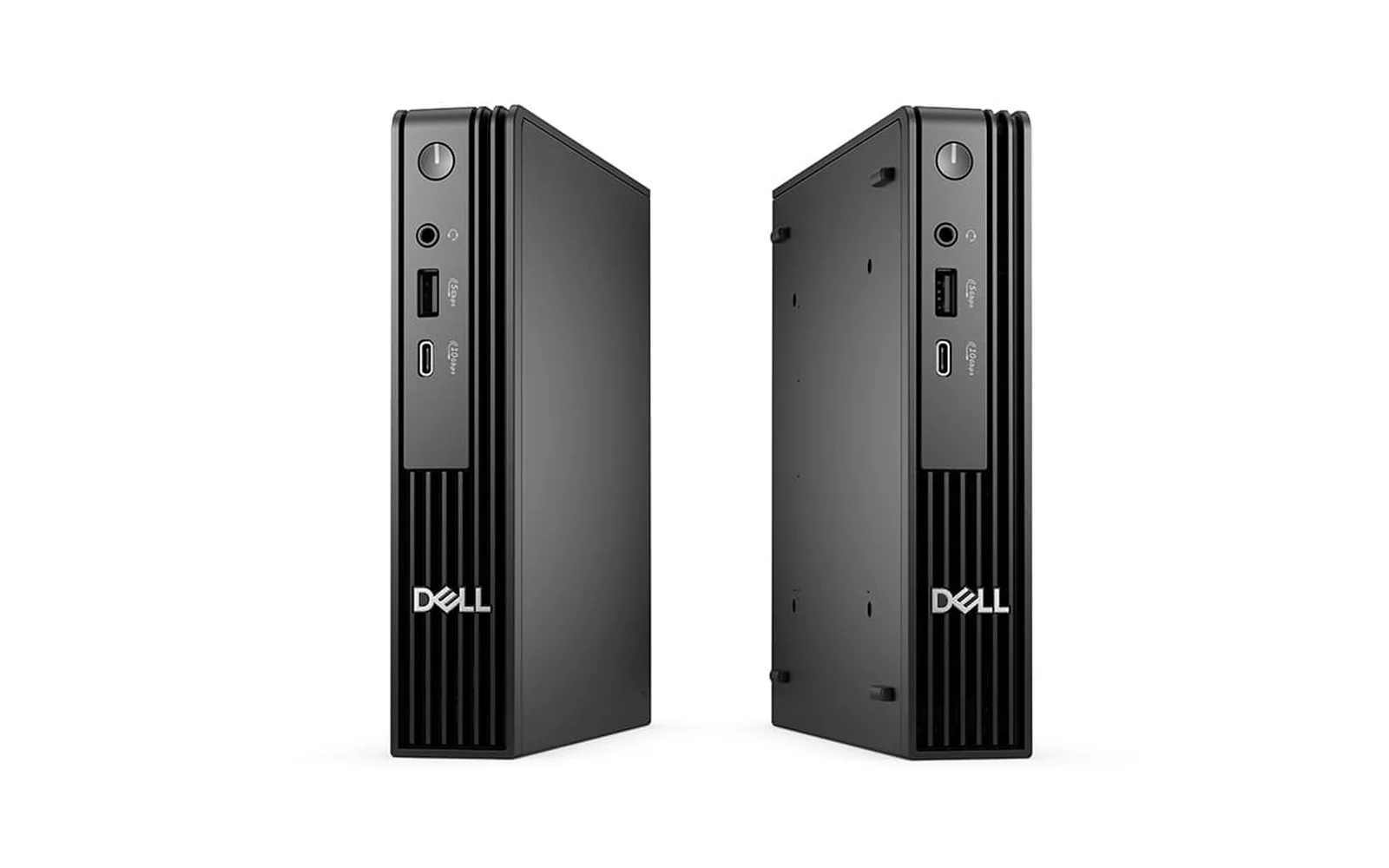
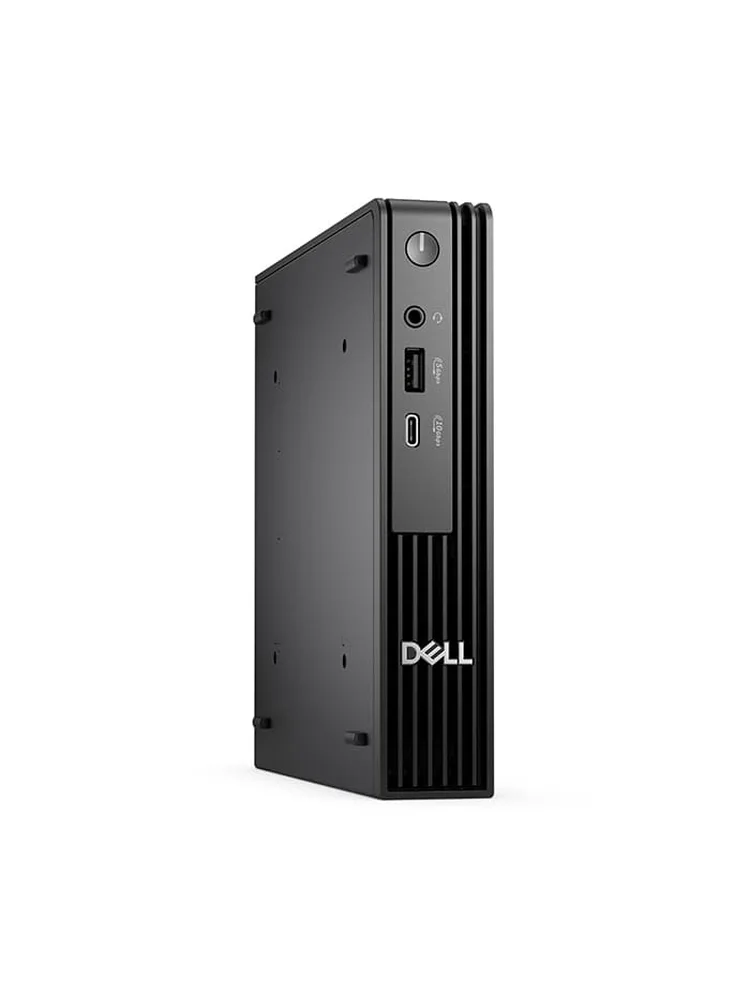
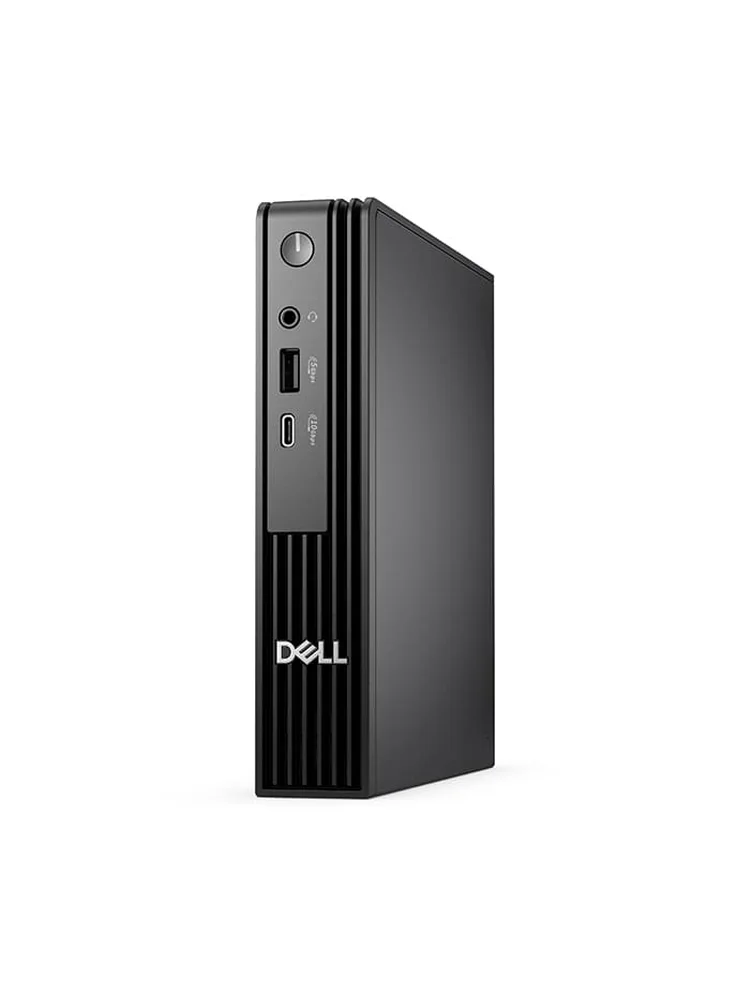
The Pro Micro is a plain black work machine. The front has the power button, a headset jack, USB-A and USB-C, with ventilation slots below. This SKU ships with the PC, a 90W adapter, a Dell KB216 Thai keyboard and a Dell MS116 mouse, so there's nothing extra to buy for input.
Dell Pro Micro QCM1250 (SNSQCM125010) specs
These are the specs for SKU SNSQCM125010, which Hinet sells. The QCM1250 comes in several configurations, so a different code may mean a different CPU, RAM or SSD.
| Item | Specification |
|---|---|
| Model / SKU | Dell Pro Micro QCM1250 · SNSQCM125010 |
| CPU | Intel Core Ultra 5 235T · 14 cores (6P + 8E) · 14 threads · up to 5.0 GHz Turbo · 35W base power |
| NPU (AI) | 13 TOPS (does not meet the Copilot+ PC threshold) |
| Memory | 16GB DDR5 (1 × 16GB), up to 5600 MT/s · non-ECC |
| Storage | 512GB SSD |
| Graphics | Integrated Intel Graphics |
| Wireless | Intel Wi-Fi 6E AX211 (2x2, 802.11ax) + Bluetooth |
| Front ports | USB-C 3.2 Gen 2 (10Gbps) × 1 · USB-A 3.2 Gen 1 (5Gbps) × 1 · headset jack × 1 |
| Rear ports | USB-A 3.2 Gen 1 (5Gbps) × 2 · USB 2.0 × 2 · DisplayPort 1.4a × 1 · HDMI 2.1 × 1 · RJ-45 LAN × 1 · power adapter port |
| Power | 90W AC adapter, 4.5 mm barrel |
| Size / weight | 182 × 36 × 178 mm · from 1.16 kg |
| In the box | Dell Wired Keyboard KB216 (Thai) + Dell USB Optical Mouse MS116, black |
| Operating system | Windows 11 Pro |
| Warranty | 3 years ProSupport Onsite by Dell Thailand |
1.2 litres: where can you put it?
Almost anywhere. At 182 × 36 × 178 mm (about 1.2 litres) and from 1.16 kg, it's a fraction of the size of a typical tower.
It can stand upright or lie flat, sit under a counter, or hang behind a monitor on a VESA bracket (an optional extra; the monitor needs VESA holes) — a big space saver on a cashier counter or reception desk.
One caution: small PCs need airflow. Don't shut it in a closed cabinet or push it against a wall over the vents; a hot PC spins its fan up and may slow down.
How fast is the Core Ultra 5 235T, and is it a Copilot+ PC?
More than fast enough for office work, accounting and POS software — but it isn't a Copilot+ PC, as the NPU is rated at 13 TOPS.
The Core Ultra 5 235T is a low-power ("T") desktop chip from the Core Ultra (Series 2) family. According to Intel's specifications it has 14 cores (6 P-cores + 8 E-cores), 14 threads and up to 5.0 GHz Turbo, with a 35W base power that suits a small chassis with limited cooling.
In practice, large Excel files, web-based ERP, lots of browser tabs, Teams and LINE together are no trouble, and most POS software is lighter than office work. On noise, one overseas reviewer found the fan gets noticeably louder under sustained heavy load; everyday documents and POS use are much quieter.
What do you miss by not having a Copilot+ PC?
Copilot+ PCs need an NPU of 40 TOPS or more; the 235T's is 13 TOPS, so you don't get the on-device AI features. Cloud-based Copilot and Microsoft 365 Copilot work normally, and for most offices and shops this isn't a practical limitation.
Can you upgrade the RAM and SSD?
Yes. The 16GB is a single stick, so there's room to add more, and the SSD can be swapped for a larger one.
The RAM is a single 16GB DDR5 stick (single-channel). Published specifications for this model list two SO-DIMM slots, so adding another 16GB for 32GB dual-channel helps both multitasking and integrated graphics. Sources disagree on whether there's a second M.2 slot for another SSD, so have a technician check the actual unit before ordering parts.
If staff keep lots of files, use OneDrive for Business or the company NAS as the main store rather than the 512GB SSD — you get backup as a bonus.
Enough ports for the office, and how many displays?
Yes — six USB ports in total, a LAN port, and two displays straight away via HDMI 2.1 and DisplayPort 1.4a.
- Front: USB-C 3.2 Gen 2 (10Gbps), USB-A 3.2 Gen 1 (5Gbps) and a headset jack — handy for flash drives and headsets
- Rear: USB-A 3.2 Gen 1 × 2, USB 2.0 × 2, DisplayPort 1.4a, HDMI 2.1 and RJ-45 LAN
The included keyboard and mouse fit neatly into the rear USB 2.0 ports, leaving four USB ports free for other devices. Wireless is Wi-Fi 6E, useful as a backup if the LAN cable fails.
Using it as a cashier / POS PC: what to prepare
The PC is ready, but check your existing POS devices, add a UPS, and stop Windows Update restarting it during trading hours.
| Shop device | Connects via | Good to know |
|---|---|---|
| Cashier screen + customer display | HDMI 2.1 + DisplayPort 1.4a | Two displays straight away; older VGA monitors need an adapter |
| Barcode scanner | USB | Most are plug-and-play USB |
| Receipt printer | USB or LAN | The cash drawer usually connects through the receipt printer |
| Older serial (COM) devices | USB-to-RS232 adapter | This PC has no serial port — check with your POS vendor first |
| Internet | LAN (main) + Wi-Fi 6E (backup) | Cable is more reliable for systems that must stay online |
Windows 11 Pro, Office and warranty: what IT needs to know
Windows 11 Pro and a 3-year ProSupport Onsite warranty are included — hidden costs most self-built or consumer PCs don't cover — but Office must be licensed separately.
- Windows 11 Pro — join Active Directory or Microsoft Entra ID, manage through Intune / Group Policy and control BitLocker centrally from day one. For a single-app shop counter you can also set up Kiosk mode (Assigned Access).
- Office — the distributor's specs don't list Office. For business use, choose Microsoft 365 Business or Office Home & Business 2024, which are licensed for commercial use.
- 3 years ProSupport Onsite — Dell's business-grade service sends a technician to your site under Dell Thailand's terms, so there's no carrying the PC to a service centre and less time without a working till or desk.
Price and value
When judging value, compare total cost, not just the sticker price. This bundle already includes Windows 11 Pro, keyboard and mouse, and 3 years of ProSupport Onsite — with a self-built or consumer PC at a similar price, you'd usually pay extra for Windows Pro and an extended warranty.
Who it suits, and who should skip it
Who it's for
- Shops that need a compact cashier PC driving a cashier screen and customer display, a barcode scanner and a receipt printer
- Clinics and reception desks with little space, where the PC can hang behind the monitor
- Offices that want a standard staff PC for accounts or HR that joins the domain or Intune straight away
- Organisations without in-house IT that want onsite warranty repairs
Who should skip it
- 3D design, video editing or gaming (integrated graphics)
- Anyone who wants on-device AI features of Copilot+ PCs
- Shops with several older serial-port POS devices that don't want adapters
- Anyone who needs to add a graphics card or expansion cards (no PCIe slots like a tower)
The Hinet perspective
From a real case: a shop using it as a cashier PC
The most recent unit we delivered went to a shop that uses it as its cashier PC. A shop counter is a different brief from an office desk: counter space is tight, several POS devices need connecting, and the PC must never shut down or restart itself mid-sale. The Pro Micro's size, six USB ports and two display outputs fit that brief well.
What we always recommend for a shop counter: set Active hours and the Windows Update schedule outside opening hours, run the PC through a UPS so a power blip can't corrupt a sale, use LAN as the main connection with Wi-Fi 6E as backup, test the receipt printer and scanner with the POS software before go-live, and store the BitLocker recovery key centrally so a technician can recover the PC immediately if it asks for the key.
Verdict: should you buy it?
If you need a compact PC for a cashier counter, clinic or staff desk that joins your company systems straight away, connects everything and is backed by an onsite warranty, the Dell Pro Micro QCM1250 (SNSQCM125010) is a very good fit.
If your work involves heavy graphics, video editing or Copilot+ PC features, look at other models too. And if it's going on a shop counter, check for serial-port POS devices and budget for a UPS from day one.
Interested in this model, or want help putting together a complete cashier setup for your budget? Request a quote from Hinet or message us on LINE @hinetcomputer.
Frequently asked questions
Can the Dell Pro Micro QCM1250 be used as a cashier / POS PC?
Yes. The Core Ultra 5 235T and 16GB of RAM are more than enough for typical POS software, there are six USB ports for a scanner and receipt printer, two display outputs (cashier screen plus customer display) and a LAN port. Check with your POS software provider that it supports Windows 11 and your existing devices.
How many monitors can it drive?
Two straight away, via the HDMI 2.1 and DisplayPort 1.4a ports on the back. If your existing monitor only has VGA, you'll need an adapter or a new monitor.
Is it a Copilot+ PC?
No. Copilot+ PCs need an NPU of 40 TOPS or more, and the Core Ultra 5 235T NPU is rated at 13 TOPS. Cloud-based Copilot and Microsoft 365 Copilot still work normally.
Can I add more RAM?
It ships with a single 16GB stick. Published specifications list two SO-DIMM slots, so adding a matching 16GB stick gives 32GB in dual-channel, which also helps graphics performance. Have a technician check the actual unit before ordering parts.
Can it be mounted behind a monitor?
Yes, it supports VESA mounting, but you need Dell's optional VESA mount and a monitor with VESA holes. Leave space around it for airflow rather than shutting it in a closed cabinet.
Does it come with Office?
The distributor's specifications don't list Office. For business use, choose Microsoft 365 Business or Office Home & Business 2024, which are licensed for commercial use.
References
- Dell — Dell Pro Micro Desktop (QCM1250) product page
- Intel — Core Ultra 5 Processor 235T specifications
- StarryHope — Dell Pro Micro QCM1250 specs and review notes
- Microsoft — Copilot+ PCs